

Overview
Shopify’s native discount codes and automatic discounts can target specific collections. To offer 10% off for two qualifying collections and 15% for three, you need additional logic that counts distinct collections in the cart. This guide explains the distinction, the app or custom Function options, and when a guided Biscuits bundle fits the offer.
Contents
- Can Shopify discount a cart by the number of collections represented?
- Step 1 - Choose a cart-wide rule or a guided bundle
- Step 2 - Define qualifying collections and discount tiers
- Step 3 - Configure a discount app that counts unique collections
- Step 4 - Use a custom Discount Function when the app cannot express the rule
- Step 5 - Test mixed carts, discount combinations and returns
- When is a guided Biscuits bundle the better alternative?
- FAQ about discounts across Shopify collections
Can Shopify discount a cart by the number of collections represented?
Yes, with a discount implementation that counts distinct qualifying collections. For example, a tea, chocolate and mug promotion can give 10% off when two groups are present and 15% when all three are present.
What can native automatic discounts target?
Shopify supports automatic discounts and amount-off discounts for eligible products or collections. Its documented minimum requirements are purchase amount or item quantity. These settings do not provide a condition for the number of different qualifying collections represented in the cart.
Why is counting distinct collections different from counting items?
Three teas from the Tea collection represent one group, even if they are different products or flavors. A tea and a chocolate represent two groups. Adding a mug represents three, assuming each item belongs to one qualifying group.
Count only collections you intentionally include in the promotion. Broad merchandising collections such as All Products or Best Sellers should not silently unlock another tier.

Step 1 - Choose a cart-wide rule or a guided bundle
Choose where shoppers should build the assortment. A cart-wide rule follows products added during ordinary browsing; a bundle builder creates a dedicated selection journey.
When is a cart-wide automatic discount the better model?
Use it when customers should browse separate collection pages and qualify once their cart meets the rule. This suits a large catalog where a dedicated bundle page would duplicate navigation or create too many choices in one place.
The offer needs clear merchandising. State which groups count and where the saving appears. If only selected items receive the discount, say so rather than promising a saving on the entire order.
When does a guided bundle page fit?
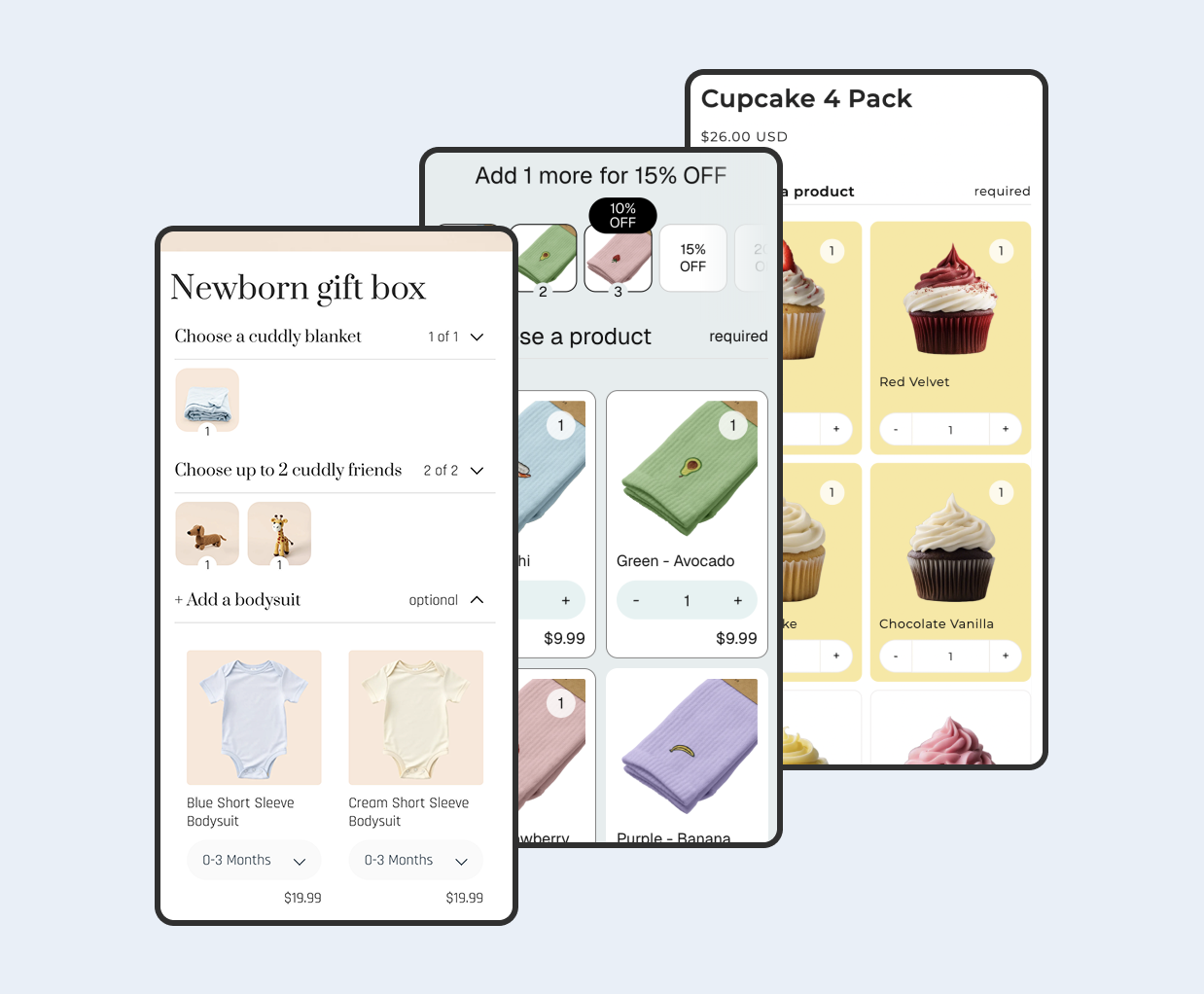
Use a guided bundle when the offer is “choose one tea, one chocolate and one mug.” A step for each group can make those required choices clear before purchase.
Biscuits documents step selection rules and volume discounts based on selected item quantities. Those are useful within a bundle, but do not establish a cart-wide distinct-collection counter. See our bundle discount across multiple products guide for that separate setup.
Step 2 - Define qualifying collections and discount tiers
Specify the rules in plain language before choosing an app. Two implementations can both advertise collection discounts while counting different things.
Which collections and products qualify?
For this worked example, only Tea, Chocolate and Mugs count. Assign each product to one qualifying group. Other collections have no effect, and buying more units within a group does not increase the group count.
| Qualifying groups | Highest tier | Example |
|---|---|---|
| 0 or 1 | No tier discount | Three teas |
| 2 | 10% | Tea and chocolate |
| 3 | 15% | Tea, chocolate and mug |
Does the discount apply to the whole order or only eligible items?
These are different offers. A whole-order offer uses qualifying products to unlock a saving on the applicable order subtotal. An eligible-product offer reduces only specified merchandise. Define exclusions such as gift cards, sale products or unrelated accessories explicitly.
For a simple illustrative $100 discountable subtotal, the two-group tier saves $10 and the three-group tier saves $15. The highest tier applies once; the intended saving is not 10% plus another 15%. These figures exclude tax, shipping and other promotions.
Decide whether extra groups keep the top tier and whether subscriptions or other sales channels qualify. Add those decisions to the tests.
Step 3 - Configure a discount app that counts unique collections
Regios Automatic Discounts is one documented example. Its Number of Uniques condition can count distinct products, variants or collections, so select the collection measure for this offer.
How do you use the Regios unique-collections condition?
- In the Logic Builder, click Add Criteria and choose Number of unique collections.
- In the number comparison, select the collection count and set the comparison value.
- Design the branches so a count of three selects 15%, while a count of two selects 10%. Make the tier results mutually exclusive.
- Set the discount scope to match the offer, then verify the result in checkout.

These tiers are our illustrative rule design, not a screenshot of a completed configuration. The vendor’s public guide verifies the counting condition; it does not fully document filtering that count to Tea, Chocolate and Mugs or assigning overlapping products to one group. Confirm those details with support.
What should you verify before choosing an app?
Ask the vendor to demonstrate the exact test carts below. A claim of “mix and match” or “volume discounts” is not enough to establish distinct-group counting.
- Does the counter include only your nominated collections?
- Can the highest qualifying tier replace lower tiers?
- Can qualification and discounted-item scope be configured separately?
- What happens when membership overlaps or a product is excluded?
- Does it recalculate correctly after cart changes and combine as intended?
Step 4 - Use a custom Discount Function when the app cannot express the rule
A developer can implement the rule using Shopify’s Discount Function API. Confirm plan and distribution requirements first: public App Store apps containing Functions can serve stores on supported plans, while custom apps containing Function APIs require Shopify Plus.
How can a Function check collection membership?
The Discount Function schema exposes collection-membership checks for configured collection IDs. The inCollections result includes each collection ID and its membership flag; inAnyCollection answers whether any specified collection matches.
A developer can use those membership results to build the set of represented qualifying IDs, then select the highest tier. One “matches any” boolean across the whole collection list cannot tell you how many different groups are present.
How should qualifying-group configuration be maintained?
Keep the eligible collection IDs, tiers, exclusions and overlap policy in explicit app configuration. Shopify supports using stored configuration to supply variables to Function input queries, avoiding a code edit every time a merchant changes the eligible collections.
Where the business wants one group per product, specify a deterministic assignment rule. Deduplicating collection IDs alone does not solve a product that belongs to two groups. Requiring separate items for separate groups is another rule and needs its own design.
Ask the developer to validate the schema, test the rule and document how merchants will maintain it.
Step 5 - Test mixed carts, discount combinations and returns
Test both successful and unsuccessful qualification. Use the same cart first with extra units, then with a new group, so you can see whether the implementation counts groups or quantity.
What happens when a product belongs to multiple collections?
Without an overlap policy, a single product in Tea and Gifts could appear to represent two collections. That may technically match membership data but contradict an offer intended to encourage two different purchases.
For our example, use disjoint qualifying collections or verified one-group assignment. If you actually want every matched collection to count, document that alternative and test it explicitly.
| Test cart | Expected result for this example |
|---|---|
| Three teas | One group; no tier |
| Tea plus chocolate | Two groups; 10% |
| Tea, chocolate and mug | Three groups; 15% only |
| Two groups plus an unrelated product | Still two groups; apply the chosen discount scope |
| Remove the mug from a three-group cart | Return to the two-group tier |
| One product with overlapping membership | Follow the documented assignment policy |
How should codes, automatic discounts and returns be tested?
Review combination settings on every participating discount. Shopify applies product discounts before order discounts; combining multiple product discounts on the same line has a Shopify Plus requirement. Do not assume a discount code will stack because both offers are valid independently.
Test your main promotion codes, free shipping and existing bundle pricing in checkout. Use the Shopify discount combinations guide for the wider combination rules.
For returns, define what happens when an item is refunded and the kept items would no longer qualify. Do not promise automatic recovery of the original saving. Check the recorded discount allocation and your return or exchange workflow before writing the customer policy.
When is a guided Biscuits bundle the better alternative?
Choose a guided bundle when customers need help completing the assortment, or when a fixed selection structure is central to the offer. A required step per group can make the intended composition explicit.
Can bundle progress replace cart-wide counting?
Selection progress can help customers understand a bundle journey, but it is a different experience. It does not mean unrelated items elsewhere in the cart qualify, and a quantity-based bundle tier should not be described as counting unique collections.
Keep the cart-wide approach if ordinary browsing is the priority. Use Biscuits when the offer benefits from a dedicated product page with visible choices and enforced selection rules.
FAQ about discounts across Shopify collections
Can two native automatic discounts require one product from each collection?
Separate eligibility rules do not create a shared distinct-collection requirement. Evaluate the combined cart condition explicitly.
Does the collection page used to add a product determine its qualifying group?
Define qualification using product or variant membership and your configured policy. Do not base the offer on the shopper’s navigation path.
 View on app store