

Overview
Yes, you can offer a bundle discount that counts different products toward one quantity tier. With Biscuits Bundle Builder, you choose the products available in a mix-and-match bundle, set volume-discount thresholds based on the total number of selected items, and show shoppers their progress. For example, a customer could select two peppermint teas, two pineapple teas and two strawberry teas to reach a six-item discount. The key is to make the bundle's selection rules, tier pricing and cart experience agree.
Contents
- Can Shopify apply one bundle discount across multiple products?
- How do mix-and-match volume discounts work?
- How do you set up a bundle discount across multiple products with Biscuits?
- How should you choose volume discount tiers?
- How do you test a cross-product bundle discount?
- FAQ about Shopify bundle discounts across multiple products
Can Shopify apply one bundle discount across multiple products?
Yes, if the offer is configured to count selections across the eligible products. A merchant asking this question usually means something like “choose any three from this group and save 10%,” including combinations of different items. A mix-and-match volume discount in Biscuits is one way to create that experience. The items must be available within the configured bundle; this is not a claim that every product in an entire collection automatically qualifies when added separately to the cart.
How is a cross-product discount different from a single-product quantity break?
A single-product break rewards several units of one product or variant. A cross-product bundle tier counts the combined quantity of eligible items selected in the same bundle. If the threshold is three, one of each of three products can qualify, as can two of one product plus one of another, provided the bundle permits those choices.

When should you use a mix-and-match bundle?
Use this format when customer choice is part of the offer: a snack box, coffee sampler or gift set where customers choose among a defined assortment. A fixed set of products can use a simpler bundle structure. If you first need to build the assortment and selection steps, see our mix-and-match bundle setup guide.
How do mix-and-match volume discounts work?
In Biscuits, each volume-discount tier has a minimum quantity and a discount value. The number of items selected in the bundle determines which tier applies. You can use a percentage off the bundle total, a fixed amount off the total, or a fixed price for the whole bundle.
What counts toward the quantity threshold?
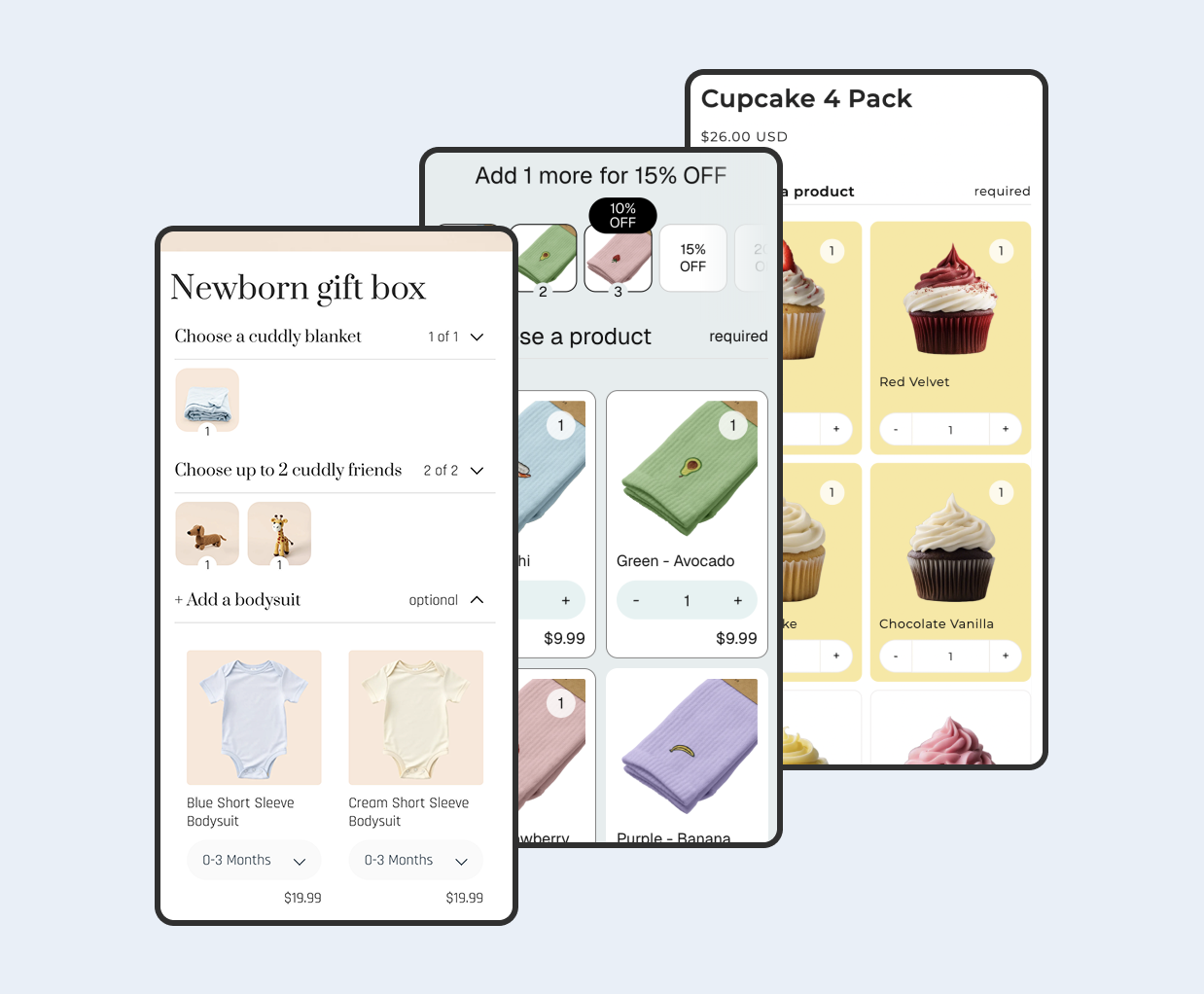
The total quantity of selected bundle items counts, including multiple units of one eligible product. The pictured Iced Tea Drink Pack demo offers 10% off at six drinks, 15% at twelve and 20% at twenty-four. Selecting two each of three flavours reaches six: the demo shows a $30 subtotal reduced to $27. This is a real storefront example of distinct products sharing a tier, not a claim about all products elsewhere in the cart.

What happens when a shopper reaches a higher discount tier?
Biscuits applies the highest tier the shopper qualifies for. As the shopper adds or removes items, the discount and progress message update. In the iced tea example, six drinks reach 10% and the message then says to add six more for 15%. If the customer removes a drink and falls below six, they should no longer see the six-drink saving. Your selection rules must allow the quantity required for each advertised tier.
How do you set up a bundle discount across multiple products with Biscuits?
Create or edit a bundle in Biscuits Bundle Builder, then use the following sequence. The exact products and discount values below are examples; choose thresholds that work for your assortment and margins.
Choose the products customers can mix and match
Add the eligible products to the bundle's selection step or steps. Decide whether a shopper may choose several different products, multiple units of a product, or both. For a straightforward “any three” offer, one mix-and-match step is often easy for shoppers to understand. Preview the bundle to confirm that only the intended products appear and that the choice and quantity controls support your offer.
Set selection rules that match your discount tiers
Check the step minimum, maximum and any quantity limits before advertising a tier. A six-item tier is unreachable if the bundle stops customers at five items. Conversely, requiring six items means customers cannot buy a smaller combination from that bundle. Biscuits documents an “Auto set up step rules” helper for a single-step volume-discount bundle, but you should still review its result against the offer you intend to sell.
Add percentage, fixed-amount or fixed-price tiers
In Bundle Pricing, select Volume discounts as the discount type. Choose the Volume discounts type, then enter the minimum quantity and discount value for each break. Biscuits documents up to five additional tiers. For example, you could set a first break at three items for 10% off and a second at six items for 15% off. The values and breakpoints should be tested with your real component prices.

Show progress and success messages to shoppers
Open Volume Discount Settings and choose thumbnails, a progress bar or segments. Set a short message that tells shoppers exactly what to do, such as “Add one more item for 10% off,” and a success message when they qualify. Biscuits provides dynamic message placeholders and per-tier messages. Save the bundle, then check that the wording remains accurate after every selection and when a shopper moves between tiers.
How should you choose volume discount tiers?
Make the offer worthwhile for shoppers without making the least profitable eligible combination unviable. Work backward from product costs, fees and fulfilment, then use a small number of thresholds that the bundle can actually reach. For a broader discussion of pricing models, see how to price a Shopify bundle.
Calculate your margin floor before setting the discount
List the selling price and variable cost of every eligible item. Check the combinations that leave the smallest contribution after product cost, packaging, payment fees and shipping you absorb. With a percentage tier, higher-priced mixes receive a larger absolute discount. With a fixed-amount tier, a low-priced mix can have a much larger percentage saving than you expected. A fixed bundle price needs special care when customers can select items with very different prices. Compare the resulting margin at every tier, including a shopper who selects the maximum allowed quantity.
Use simple quantity breakpoints customers can understand
Choose breaks that match the way people shop the products: three for a sampler, six for a drinks pack, or another natural pack size. Show both the required quantity and the saving clearly. If a shopper has to calculate which combinations count or whether another unit improves the offer, simplify the rules or the copy. Check how an item with several quantity units appears in the progress display.
Which volume discount types work with Shopify Markets?
For a bundle using Biscuits' Localise setting, percentage tiers can retain the same percentage saving over each market's component prices. Fixed-amount tiers convert to the market currency, so the effective saving can vary slightly. Biscuits currently documents an exception for volume discounts set to a fixed bundle price: that type cannot be localised. If you sell in multiple markets, test the actual component prices and totals in each market before promoting the offer.
How do you test a cross-product bundle discount?
Test the saved storefront bundle like a customer. The test is successful when the displayed threshold, selected components, discount and checkout total tell the same story. Do this in each market and currency where the offer will be promoted.
Test different product combinations at every threshold
Try three different eligible products, multiple units of one, and a mixed combination. Check one item below, exactly at and one above each tier. Repeat using your lowest- and highest-priced eligible items. Confirm that a product not included in the bundle does not unexpectedly change its tier. On the iced tea demo, two of each of three drinks reach the six-item tier and show $27 after 10% off a $30 subtotal.
Remove an item and confirm the discount recalculates
Reduce a qualifying selection below its tier and confirm the savings and progress message change. Then add it back. If a bundle lets customers select more than one unit of a product, change the unit quantity as well as toggling the product selection. This catches a mismatch between visible progress and the actual discount.
Check cart, checkout and discount combinations
Add the configured bundle to your cart and proceed far enough through checkout to verify the selected products and final price. If you also offer a code, free shipping or another automatic discount, test the specific pairing. Shopify's combination rules depend on discount classes, merchant eligibility and the combination settings of both discounts. Non-combinable offers may cause Shopify to use the best eligible discount instead of both. Our discount stacking guide covers the broader decision; the Shopify discount combinations guide describes current rules.
FAQ about Shopify bundle discounts across multiple products
Can customers mix different products to reach one discount?
Yes. In a configured Biscuits mix-and-match bundle, the combined quantity of selected eligible items counts toward the volume-discount tier. Multiple units of different products can qualify together.
Do you need a bundle app for cross-product quantity discounts?
You need a setup that counts the eligible products together and applies the intended saving. This guide uses Biscuits Bundle Builder to provide that bundle selection and tier experience. Other approaches require checking their eligibility, display and checkout behavior rather than assuming any ordinary single-product quantity break will count different items.
Can a bundle discount combine with another Shopify discount?
It depends on the discount classes, the store's eligibility and how the discounts are configured. Test the exact code or automatic discount with your bundle at checkout. Do not promise stacking to shoppers until you have checked that pairing.
 View on app store