

Overview
If you sell bundles on Shopify, you've probably noticed that some bundles display as a single grouped item in the cart and checkout, while others show each product on its own line. This isn't a theme bug or a setting you missed. It comes down to how the bundle was built: using Shopify's native bundle architecture (powered by the Cart Transform API) or a legacy approach that adds items individually. This article breaks down the three main bundling approaches on Shopify, how each one handles checkout display, inventory, fulfillment, and discount compatibility, and when each approach makes sense for your store.
Contents
Side-by-side comparison
Feature |
Native bundles (Cart Transform) |
Legacy bundles (individual line items) |
Legacy + nested line items |
|---|---|---|---|
Checkout grouping |
Yes; parent-child relationship, items grouped visually |
No; each product appears as a separate line |
Yes; parent and children grouped together |
Order line items |
Children only (parent removed after checkout) |
Each component as its own line, or a single "dummy" parent with line item properties |
Parent + children both appear on the order |
Inventory tracking |
Decrements component SKUs automatically |
Depends on approach; line-item-property-only bundles do not track component inventory |
Decrements both parent and child SKUs |
Discount compatibility |
Supports Shopify discount codes and automatic discounts on the parent bundle product |
Requires discount codes or scripts applied per line item |
Supports Shopify discounts; stacking varies |
Subscription support |
No; not compatible with selling plans |
Yes; each item can carry its own selling plan |
No; not compatible with selling plans |
Sales channels |
Online Store, headless storefronts |
All channels (Online Store, POS, Shop app, etc.) |
Online Store (themes with nested line support) |
Theme requirement |
Online Store 2.0 theme with app blocks |
Works with any theme |
Theme must support nested cart lines (e.g., Dawn 15.4+) |
Example apps |
Shopify Bundles, Biscuits Bundles, Flex Bundles |
Simple Bundles (legacy mode), Bundle Kit, custom code |
Apps using the Cart AJAX API nested fields |
What are native bundles?
Product bundles are used by merchants to group products together and sell them as a single unit. Shopify offers different methods to merchandise bundles of products and includes product and cart APIs to support a wide range of bundle use cases. Native bundles on Shopify are those that use the platform's built-in bundle infrastructure, which centers on the Cart Transform Function API.
Transforming a cart refers to changing the pricing and presentation of items in a cart. To modify the appearance of cart items, such as updating titles and images, changing prices, and bundling items, you can only use the Cart Transform API. In practice, this means the Cart Transform API is the only way to create that visual parent-child grouping you see in checkout.
The API supports two key operations. Expand preserves a parent line as the conceptual source and emits child components. Merge starts from a set of existing cart lines and replaces their presentation with a grouped parent representation. Fixed bundles (created through Shopify's own Bundles app) use the expand operation, while customized mix-and-match bundles typically use merge.
Fixed bundles are Shopify's default implementation to support basic bundle use cases across Shopify's ecosystem. These include Standard bundles and Multipack bundles that fit within Shopify's variant limits. Customized bundles are used for more complex use cases, particularly when offering more choices to customers, or modelling a more complex composition of products, such as Mix-and-match bundles.
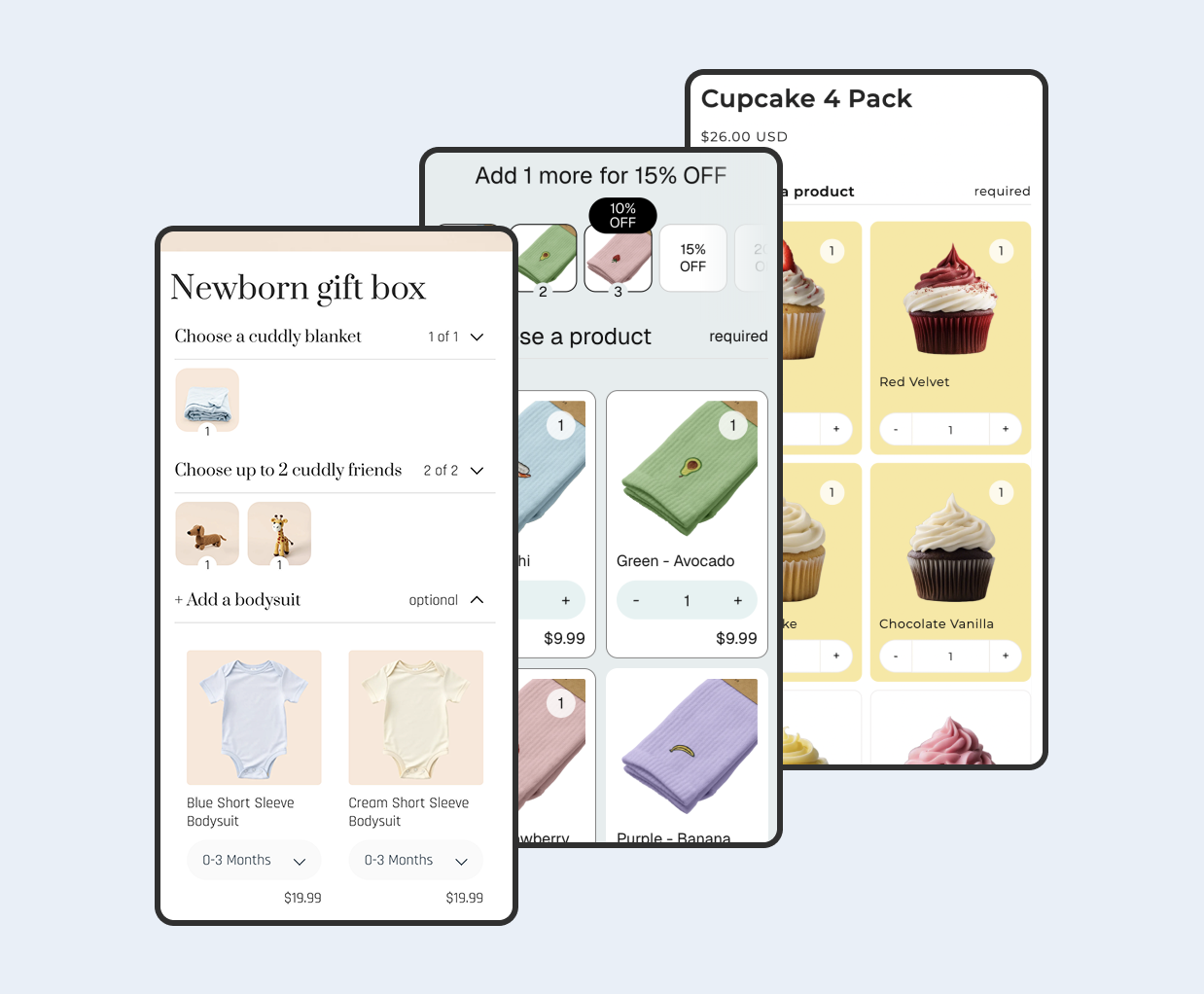
Apps like Biscuits Bundles build on this native architecture. Biscuits Bundles uses the Cart Transform API to create customized, multi-step bundle builders where customers pick their selections across collapsible accordion steps, with options for required or optional steps, min/max selections, and multiple pricing strategies (sum of products, fixed price, percentage off, or volume discount tiers). Because it uses Cart Transform under the hood, every bundle built with Biscuits Bundles appears properly grouped in the cart and checkout.
Strengths
Items appear grouped under a single parent in the cart, checkout, and order confirmation emails
The Cart Transform API can also expand a bundle product into its individual components, making it easier to complete tasks on the backend, like calculating taxes, shipping weights, decrement inventory, and more.
Product bundles support discount codes and automatic discounts, including supported discount combinations. When creating product or collection-specific discounts, include the parent bundle product to apply the discount.
Shopify manages the bundle relationship at the platform level, so analytics, reports, and order data all reflect bundle sales
Limitations
Bundles can't be sold with selling plans, such as subscriptions, pre-orders, and try-before-you-buy.
A store can install a maximum of one cart transform function. This means only one app at a time can control bundle grouping.
When you use Shopify's native bundles (via cart transformer or other native bundle APIs), the parent bundle gets removed from the order and broken down into its individual child items. This is how bundle inventory works correctly. Line item properties attached to the parent are lost when the parent is removed.
Bundles don't track inventory by location, but by overall stock.
What are legacy bundles?
Before the Cart Transform API launched in 2023, bundle apps had to work around Shopify's lack of native grouping. Until Shopify released the Cart Transform Function API in 2023, there were two primary approaches to bundling products: Line item bundles added each product to the cart as separate line items, typically with a discount applied via automatic discount, or more commonly, the now almost deprecated Shopify Scripts. Bundled line items weren't grouped together, so customers would see each product from the bundle in the checkout.
Legacy bundling generally takes one of two forms:
Individual line items with discount codes or scripts: Each component product is added to the cart as its own line item. A discount code, automatic discount, or Shopify Script reduces the total to the bundle price. The customer sees every product individually at checkout with no visual grouping.
Dummy parent with line item properties: A single "bundle" product is added to the cart, and the customer's selections are stored as line item properties (text metadata attached to that line). The component products themselves are never added to the cart. This means no component-level inventory is tracked, no individual SKUs are on the order, and fulfillment teams must interpret the line item properties manually. It's essentially a display-only bundle.
On the order page in the admin, the only reliable way to identify which products were bundled together is through matching line item properties. Each component of a bundle must share the same property. The "_bundle" line item property identifies the line items as components of the same bundle.
Strengths
Works with any theme, no Online Store 2.0 requirement
Compatible with all sales channels, including POS, Shop app, and draft orders
Can support selling plans and subscriptions on individual line items
No dependency on the single Cart Transform function slot
Limitations
No visual grouping in cart or checkout; customers see a flat list of products
Line-item-property-only bundles do not connect to real inventory at all
Discount logic often relies on Shopify Scripts, which will be sunset on June 30, 2026. All existing Shopify Scripts will stop functioning after this date.
Fulfillment teams may not recognize which items belong to which bundle without custom workflows
The nested line items middle ground
In mid-2025, Shopify introduced a feature called nested cart lines. Nested cart lines let you define parent-child relationships between items in the cart, checkout and order. New fields have been introduced to enable parent-child (nested) relationships between cart lines, supporting use cases such as warranties, engravings, and gift-wrapping.
This feature was designed primarily for add-on scenarios (warranties, gift wrapping, engravings), not for traditional bundles. However, legacy bundle apps could technically use nested line items to group components under a parent in the cart. There is a key difference from native bundles, though: with nested line items, both the parent and child items appear on the final order. With native bundles, only the children (component SKUs) remain on the order after the parent is removed.
This distinction matters for fulfillment. If a warehouse team sees both the parent "Gift Box Bundle" and its three child products on the order, they might double-pick items or get confused about what to ship. Native bundles avoid this by removing the parent entirely.
There are also significant limitations to be aware of. Bundles: You cannot nest add-ons under bundle parents or components at this time. Immutable: Once set, a nested cart line's parent relationship cannot be modified. Multi-level nesting: Only one level of parent-child is allowed. Additionally, when linesMerge is applied to a parent or child in a nested relationship, the lines aren't merged. The cart is unchanged. This means nested lines and Cart Transform merge operations cannot work together on the same items.
Tip: If your store uses a theme like Dawn 15.4 or later, the standout feature of Dawn 15.4.0 is the introduction of nested cart lines support which means your cart will render nested relationships properly. Older themes may not display the parent-child grouping correctly.
Checkout appearance: grouped vs ungrouped
The most visible difference between these approaches is what your customer sees at checkout.
With native bundles (Cart Transform), the checkout shows a single parent item with child components indented beneath it. Bundled items now display neatly under the main product in checkout. When using the Cart Transform API to bundle products together, the grouped items appear correctly for customers: In the cart on the storefront, during checkout, in customer accounts, and in order confirmation emails.
With legacy bundles that add individual line items, every component appears as its own checkout row. If a customer buys a "Build Your Own Snack Box" with six items, they see six separate lines in checkout. This can be confusing, especially if a discount was applied, because the price reduction is spread across individual items rather than shown on a single bundle line.
With nested line items, you get visual grouping (parent with children indented), but the parent is also a purchasable item on the order. For add-on use cases like "engraving service" attached to a product, this makes perfect sense. For bundles, it creates an extra order line that your fulfillment process needs to account for.
Inventory and fulfillment differences
Native bundles track inventory at the component level. Shopify Bundles also includes inventory that is updated in real-time so that you don't need to worry about overselling. When a customer buys a bundle, the parent bundle gets removed from the order and broken down into its individual child items. This is how bundle inventory works correctly. Each component SKU needs to be tracked separately for fulfillment and inventory accuracy.
Legacy bundles using individual line items can also track component inventory, since each product variant is added directly to the cart. The difference is in how orders look to your warehouse. Without grouping, fulfillment teams see a flat list and must rely on line item properties to determine what belongs together.
Legacy "dummy" bundles that store selections only as line item properties are the riskiest option. Shopify treats every product and variant as an independent SKU. If you create a "bundle" as a new product, Shopify doesn't know it's composed of existing items. This means selling a bundle won't reduce the stock of its components, leading to overselling.
With Biscuits Bundles, inventory is handled through Shopify's native bundle system. The app tracks live inventory at the component level, supports sold-out display options, and even offers location-based availability for stores with multiple warehouses. You can see these features in action on the Biscuits Bundles demos page.
Discount compatibility
Product bundles support discount codes and automatic discounts, including supported discount combinations. For native bundles, when creating product or collection-specific discounts, include the parent bundle product to apply the discount. The discount won't apply if you select only the component products.
When a discount is applied to a bundle, the discount calculates on the parent bundle product first. The amount then allocates to component products by weighted price, and taxes calculate on the individual components. This weighted distribution approach keeps things clean for accounting and tax purposes.
Legacy bundles have a tougher time with discounts. If each component is its own line item, you need to apply discounts across multiple lines. Historically, many merchants relied on Shopify Scripts for this, but Shopify Scripts will be sunset on June 30, 2026. All existing Shopify Scripts will stop functioning after this date. After that deadline, legacy bundles will need to rely on automatic discounts or Shopify Functions for pricing.
Biscuits Bundles offers built-in pricing modes (sum of products, fixed price, percentage or amount off, and volume discount tiers) so you don't need external discount codes to set bundle pricing. The discount is baked into the bundle configuration itself.
When to use each
Use native bundles (Cart Transform) when: You want items visually grouped in the cart and checkout, you need component-level inventory tracking, you sell only through the Online Store or headless storefronts, and you don't require subscriptions on bundles. Apps like Biscuits Bundles or Shopify's own Bundles app are built for this.
Use legacy individual-line-item bundles when: You need bundle support across POS, Shop app, or draft orders; you need subscription/selling plan support on bundled items; or you're already using a legacy app that integrates deeply with 3PL fulfillment workflows.
Use the dummy parent + line item properties approach when: You only need a simple display of selected options on a single product and don't need component-level inventory or fulfillment. This works for lightweight "build your own" experiences where items are conceptual choices (like a personalized greeting card), not separate physical products.
Use nested line items when: You're building add-on experiences (warranties, engravings, gift-wrapping) that should be grouped under a parent product. This isn't designed for full bundle use cases, and both the parent and children will appear on the final order.
Verdict
For most Shopify merchants selling product bundles today, native bundles powered by the Cart Transform API are the right choice. They give you proper checkout grouping, reliable component-level inventory, clean fulfillment orders, and built-in discount support. The architecture is where Shopify is investing, and legacy approaches are losing their tooling as Shopify Scripts sunset approaches.
If you need a customizable multi-step bundle builder that uses native bundle architecture, Biscuits Bundles is worth a look. It gives you the visual grouping and inventory benefits of Cart Transform while adding a flexible builder interface with required/optional steps, quantity controls, and multiple pricing strategies.
Legacy bundles still have a place for merchants who need multi-channel support (POS, Shop app) or subscription compatibility. But if your primary sales channel is your online store and you want the cleanest customer experience, native is the way forward.
Side note: If you're currently running a legacy bundle setup and your bundles look ungrouped at checkout, the fix isn't a theme tweak. It's an architectural change. You'll need to migrate to an app that uses Cart Transform, or rebuild your bundles using Shopify's native bundle APIs.
 View on app store