

Overview
Shopify Agentic Storefronts let customers discover and purchase your products in AI channels, such as ChatGPT, Google AI Mode and Gemini, and Microsoft Copilot. Since January 2025, traffic from AI tools to Shopify stores is up 7x, and purchases attributed to AI-powered search have increased by 11x. This guide walks you through everything: checking eligibility, activating the channel, optimizing your product data for AI agents, configuring checkout, and tracking attribution. Whether you have five products or five thousand, the setup takes minutes; the optimization is where you gain an edge.
Contents
What are Agentic Storefronts?
Shopify Agentic Storefronts help brands on Shopify instantly and accurately get discovered on AI platforms like ChatGPT, Perplexity, and Microsoft Copilot, with others coming soon. One quick setup in your admin and you're selling everywhere AI conversations happen.
Here's how it works: when a user has a conversation with an AI agent and prompts it for information, ideas, or recommendations for a particular product, the AI agent can return suggestions for what products might suit their needs. For example, a user might say "I'm looking for recommendations for navy running shorts". The AI agent can then search for appropriate recommendations and display a selection of products that it thinks fit the user's prompt.
Shopify Catalog uses signals from millions of merchants and products to structure data so AI can understand it. It infers categories, extracts attributes, consolidates variants, and clusters identical items so shoppers see only relevant and unique results. Prices and inventory stay current across agents, and performance is attributed back to the originating channel in your admin.
We also made a quick video that explains these changes: watch the TikTok breakdown.
When should you set up Agentic Storefronts?
Now. Starting the week of March 24, 2026, millions of merchants can sell to ChatGPT users via Agentic Storefronts. Agentic storefronts are active by default for eligible stores, which means your products may already be surfacing in AI conversations. The question is whether they're surfacing well.
The pattern seen across merchants is consistent: those who treat a new channel launch as a "set it and forget it" moment leave early mover advantage on the table. The brands that got ahead of ChatGPT Shopping, including Glossier, SKIMS, Vuori, and Stanley 1913, were not doing anything technically complex. They had clean catalogs, clear policies, and someone in the building who cared enough to verify the setup. That is the entire advantage.
Step 1: Check your eligibility
To use agentic storefronts to make your products directly purchasable in AI channels, you need to meet certain eligibility requirements and understand some important considerations.
As of March 2026, Agentic Storefronts require: a US-based store selling to US customers; store policies (Terms of Service) added; guest checkout enabled (you cannot require customers to log in before purchasing); and agreement to the Shopify Agentic Storefronts Supplemental Terms of Service.
To check whether your store has access:
In your Shopify admin, go to Settings > Apps and sales channels. Look for an Agentic storefronts section. If you see it, you're eligible.
You receive an email and a notification in your Shopify admin when agentic storefronts are available to you.
If you do not see this section currently, Shopify is still rolling out functionality. To be sure you get alerted when it becomes available, sign up at https://www.shopify.com/chatgpt.
What's the difference between the ChatGPT channel and the others?
ChatGPT acts as a discovery-focused referrer platform for customers to find your products. ChatGPT users complete their purchase on your online store checkout in a ChatGPT in-app browser, or in a new tab when customers use ChatGPT web. For other agentic storefronts, if you have direct purchasing activated for an AI channel, then customers can complete their purchases in the channel's Shopify-powered built-in checkout without having to leave their conversation.
What if you're not on Shopify?
With Agentic plan, now publicly available, brands not using Shopify for ecommerce can add products to Shopify Catalog to reach shoppers and sell across these same AI channels. This means you can sell through AI agents even if your primary store runs on another platform.
Step 2: Verify your channel settings
When your store is eligible, checkout on agentic storefronts is active by default. You don't need to do anything for your products to be discovered by AI channels, but you must remain opted in to the agentic storefronts integration for your products to be purchased directly by customers in AI channels.
Even so, it's worth verifying everything is working. Here's how:
From your Shopify admin, go to Settings > Sales channels. In the Agentic storefronts section, click the agentic storefront that you want to manage your sales for.
Confirm that each AI channel you want active is toggled on.
For Copilot and Google, go to Settings > Sales Channels, and toggle direct checkout on or off per channel.
Tip: Verifying your Agentic Storefronts setup takes under 30 minutes. The goal of this pass is not to build something new. It is to confirm what Shopify already turned on for you and make sure it is working correctly. Some merchants reported sync hiccups at launch, so verification is worth the time even if you assume everything is fine.
Step 3: Configure checkout per channel
You control whether customers complete their purchase inside the AI platform or get redirected to your online store. This matters for brand experience and conversion.
From your Shopify admin, go to Settings > Sales channels. In the Agentic storefronts section, click the agentic storefront that you want to manage your sales for.
To let customers check out their orders directly within the AI platform, in the Checkout section, select "Allow customers to purchase directly in this sales channel."
To have customers be redirected from the AI platform to complete their purchase on your online store, in the Checkout section, deselect "Allow customers to purchase directly in this sales channel."
Side note: Because ChatGPT sales happen in your online store checkout, the unsupported features and checkout blocks limitations don't apply to selling with ChatGPT. Certain features of Shopify, such as custom pixels or product bundles, aren't supported for some agentic storefront channels, so review the limitations before enabling direct checkout on Copilot or Google AI Mode.
What about checkout customizations on Shopify Plus?
For Shopify Plus merchants, some checkout blocks, such as those for custom fields, upsells, or specific validations, might not display in agentic storefront checkouts. Shopify Functions, such as shipping, discount, and cart and checkout validation functions, are supported and run in agentic storefront checkouts. Any automatic discounts or discount codes that you set up are also supported in agentic storefront checkouts.
Step 4: Optimize your product data for AI agents
Activation is the easy part. Product feed quality is the single biggest lever for AI visibility: AI agents surface products based on structured catalog data, not page design. This step is what separates merchants who show up consistently in AI recommendations from those who remain invisible.
Merchants with complete product attributes including GTIN, brand, material, color, size, use case descriptions, and accurate inventory status appear in significantly more AI shopping queries. Here's what to focus on:
Fill in your product metafields. Agents query field values; they don't parse paragraphs. This means populating metafields: material composition, weight, dimensions, care instructions, compatibility, country of origin, warranty details, certifications, and product condition. Each of these should live in a typed metafield definition, not buried in a free-form text block.
Use Shopify's standard product taxonomy. Define your schema and group products by standard attributes and metafields so that agents accurately present your products in searches.
Write conversational, attribute-rich descriptions. Include relationship data: "compatible with," "works well with," "best for." Add contextual use cases: "best for trail running in wet conditions."
Add structured data (JSON-LD). Ensure the generated schema includes the properties that AI agents prioritize: brand, identifiers, detailed attribute properties, and complete Offer data with pricing and availability.
Keep inventory data accurate. If your product data shows items in stock when they're actually out of stock, AI agents make incorrect recommendations. Ensure your inventory system syncs with your product data in real-time.
Tip: The practical starting point is your top 20 products by revenue. Pull them up and ask one question for each: if a shopper gave an AI their exact constraints, could this product data answer confidently in two sentences? If the answer is no, you have found your first optimization priority. Do not try to fix your entire catalog in week one. Fix the 20 products that generate 80 percent of your revenue and let that be your "agent-ready" proof of concept.
Step 5: Install the Knowledge Base App
Shopify recommends installing its Knowledge Base app to provide AI agents with structured brand and policy information. You can use your current FAQ and brand information in this app. This app is only visible to AI agents, and not on the front-end of your website.
Track your policies, FAQs, and brand voice via the Knowledge Base App, so agents have the right answers to key customer questions about your brand and offering in every conversation. This helps AI agents answer follow-up questions about shipping times, return policies, and sizing in a way that matches your brand.
The Knowledge Base App is free for Shopify Plus merchants. For standard Shopify plans (Basic, Shopify, Advanced), it costs $50/month.
Step 6: Track attribution and monitor orders
Orders from agentic storefronts display in your Shopify admin with channel or referrer attribution so that you know where the order originated from. Here's how to find them:
ChatGPT orders: Use the "Total sales by referrer" report in the Analytics > Reports section of your Shopify admin.
Other agentic storefronts: Access your orders through the Settings > Sales channels section. This option redirects you to your Orders list with the Channel filter already applied.
Advanced tracking: Monitor Orders > All Orders and filter by acquisition channel to see ChatGPT, AI Mode, Copilot, and Gemini separately.
Side note: Google Analytics and custom pixels won't fire in all agentic storefront checkouts. Agentic storefront checkouts fire only server-to-server pixels (started, completed), so none of the standard or custom client-side pixels fire. Keep this in mind when reconciling your analytics tools.
Step 7: Test your products with AI agents
Before you consider your store "agent-ready," validate it. Search for your products on ChatGPT, Gemini, and Copilot. Can they find them? Test a complete purchase flow through an AI agent. Is the product information accurate: price, availability, specs?
Try queries a real shopper might use. Instead of searching for your brand name, search for the problem your product solves. For example, "best organic cotton baby onesies under $30" or "lightweight trail running shoes for wide feet." If your product doesn't appear, revisit Step 4 and enrich the product data that matches those search terms.
Tip: Small DTC brands with excellent product data can compete with large retailers. Rankings are purely organic; a niche brand with well-structured, detailed product information can outrank a Fortune 500 retailer with lazy catalog data. This is your window to build visibility before the channel gets crowded.
FAQ
Does selling through Agentic Storefronts cost anything?
There are no fees associated with selling in agentic storefronts. You pay only your standard payment processing fees. Merchants pay OpenAI a 4% fee on sales completed through ChatGPT checkout, on top of Shopify's standard transaction and payment processing fees. Google AI Mode and Gemini currently charge no additional fees for purchases.
Can I opt out of specific AI channels?
You can manage your settings for individual agentic storefronts and decide whether customers can check out directly in a channel, or whether they're redirected to your online store to complete their purchase. You can't explicitly opt out of selling with Shopify's agentic storefront for ChatGPT. Even when you opt out of direct selling, your products can still be found in AI channels in the same way that they're listed in traditional search engines such as Google.
Can I hide specific products from AI channels?
If you want to hide your products from being discoverable by AI channels and agentic storefronts, then you can set the product status to be Unlisted. Setting a product as Unlisted also hides the product from sitemaps, search engines such as Google, and your online store search. Use this carefully, as it affects all discoverability, not just AI.
What about international stores?
Agentic storefront built-in checkouts display only to customers based in the United States. International stores are not yet eligible for direct AI checkout, though your products are still discoverable by AI platforms via web crawling and Shopify Catalog. If you sell internationally, prepare your catalog now so you're ready when eligibility expands.
Who owns the customer relationship?
Most importantly, you remain the merchant of record with full ownership of the customer relationship and post-purchase experience. You choose whether customers complete purchases in-chat or via your online store, maintaining complete control over the experience you've perfected. Every order flows into your admin, every customer stays yours.
Are product bundles supported in agentic storefront checkouts?
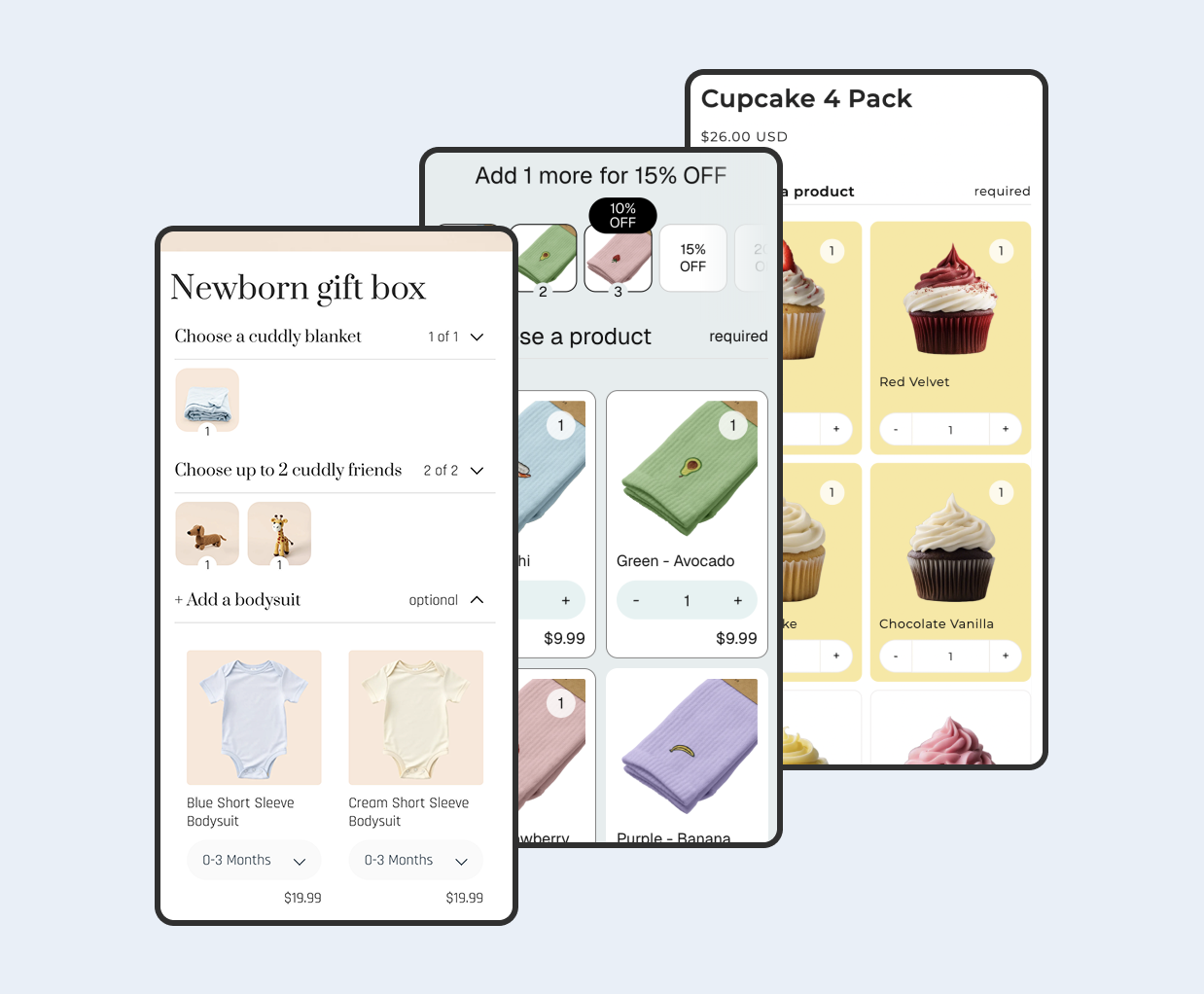
Certain features of Shopify, such as custom pixels or product bundles, aren't supported for some agentic storefront channels. Since ChatGPT redirects to your own checkout, bundles work fine there. For Copilot and Google AI Mode built-in checkouts, bundle support is currently limited. If bundles are core to your strategy, check the latest Shopify documentation for updates, or consider using Biscuits Bundles which stays on top of compatibility requirements.
 View on app store