

Overview
Biscuits Bundle Builder and Shopify Bundles both keep bundle availability connected to component inventory, so you can sell the same products individually and in bundles without manually maintaining separate stock allocations for each offer. Biscuits Bundle Builder is an option for customer-built, mix-and-match bundles, while Shopify Bundles focuses on fixed bundles and multipacks. The important distinction is how you want customers to choose products, alongside how your stock is tracked. This guide compares the two apps and shows what happens to bundle availability when a product sells.
Contents
- Which Shopify bundle apps automatically sync inventory?
- How do Shopify bundles share inventory with individual products?
- Shopify Bundles: automatic inventory for fixed bundles and multipacks
- Biscuits Bundle Builder: inventory sync for mix-and-match bundles
- How to choose a Shopify bundle app with inventory sync
- References
Which Shopify bundle apps automatically sync inventory?
Two options are Shopify Bundles and Biscuits Bundle Builder. Both support selling bundles using the inventory of their component products. You still need accurate product stock and appropriate inventory settings; installing a bundle app does not replace your stock-management process.
| What matters | Shopify Bundles | Biscuits Bundle Builder |
|---|---|---|
| Suitable bundle format | Fixed product sets and multipacks. | Customer-built, mix-and-match bundles with guided selection steps. |
| Inventory model | Bundle availability is calculated from the components and quantities required. | Inventory tracking stays on the selected component products; the bundle parent is untracked. |
| Customer choices | Available variant options within a predefined bundle. | Choices across the products and variants you include in the builder. |
| Starting cost | Free. | Free installation with one bundle and up to 25 orders per month, then pay-as-you-go; the free plan excludes Shopify Plus. Standard is US$18.99 per month. |
| Key decision | Do you know the bundle's composition before the customer shops? | Should the customer decide which products go into the bundle? |
This is a focused comparison of two documented options, not a ranking of every bundle app. Check the official app listings for Shopify Bundles and Biscuits Bundle Builder for plan details and the capabilities relevant to your store.
How do Shopify bundles share inventory with individual products?
Think of the bundle as another way to buy your existing products. If you sell the same soap separately and inside a care set, both offers depend on that soap's available stock. You do not need to divide the shelf into a quantity reserved for the product page and another quantity reserved for the bundle.
If the shared stock total looks correct but the bundle is still using inventory that cannot serve the customer, check for location-specific bundle inventory problems.
The offers must use the actual component products and variants. Creating an unrelated product called a bundle does not, by itself, connect it to everything listed in its description. When configuring your app, check the product relationships rather than relying on similar names or matching SKU text.

Does selling a product individually reduce bundle availability?
Yes, when that sale reduces the available stock of a component the bundle needs. Consider a fixed care set containing two soaps and one lotion. With 12 soaps and eight lotions available, you have enough stock for six sets.
| Event | Available soaps | Available lotions | Complete care sets possible |
|---|---|---|---|
| Starting stock | 12 | 8 | 6 |
| Two soaps sell individually | 10 | 8 | 5 |
| One care set then sells | 8 | 7 | 4 |
Shopify's bundle inventory calculation divides each component's available quantity by the amount needed per bundle, rounds down, and uses the smallest result. In this example, soap limits the number of complete sets.
These are illustrative numbers for tracked stock in one fulfillment context, without concurrent orders or an out-of-stock selling exception. A customer-built box has different possible selections, so one fixed recipe cannot describe every combination. Likewise, the availability figures of several bundles sharing a component are not independent stock pools you can add together.
Replenishment follows the same arithmetic. If you add six sellable soaps after the final row, you have 14 soaps and seven lotions: enough for seven care sets. Adding more soaps alone would not take you beyond seven, because lotion would become the limiting component. This is a useful way to diagnose an unexpectedly low bundle quantity before assuming the inventory connection has failed.
Do I need to manage separate inventory for each bundle?
For the native component-based approaches discussed here, maintain the stock of the products being sold. Biscuits specifically sets the bundle parent to untracked and instructs merchants to manage inventory on the components. Its inventory documentation explains that behavior.
Also distinguish inventory states. Shopify's Available quantity is stock you can sell; On hand also includes units that are committed or unavailable. A placed, unfulfilled order can hold committed units, so the number physically on your shelf is not necessarily the number another customer can buy.
Does Cart Transform handle inventory syncing?
Cart Transform handles bundle composition and presentation in the cart. For example, a Cart Transform function can expand a bundle line into its component variants. Shopify then represents native bundle components in order lines; Cart Transform should not be described as a separate service copying stock quantities between products.
The practical question is whether the app passes the actual components into Shopify's bundle flow. You can explore the underlying Cart Transform bundle structure separately. Inventory availability and cart display are related parts of the experience, but displaying a grouped bundle alone does not explain its stock-management behavior.
Shopify Bundles: automatic inventory for fixed bundles and multipacks
The free Shopify Bundles app suits offers whose product composition you define in advance. Examples include a shampoo-and-conditioner set or a multipack of the same product. Customers can choose available variant options without building an entirely different assortment.
Its strength is a straightforward route to fixed bundles using component stock. If your offer is already well defined, start by checking whether this app covers it before adding a more elaborate selection experience. A free app can be the appropriate choice when the bundle format is simple.
The main limitation for this comparison is that Shopify Bundles does not provide a mix-and-match builder where customers compose a box from interchangeable products. If your brief is “choose any six products from this range,” evaluate a builder designed for that interaction. Variant choice inside a set and choosing the set's contents are different requirements.
For example, a store selling a predefined cleanser-and-moisturizer set does not necessarily need a full builder just because customers can choose a variant. Write down the actual purchase choices first. This keeps the app decision tied to the offer, rather than treating a longer feature list as a better fit by default.
Biscuits Bundle Builder: inventory sync for mix-and-match bundles
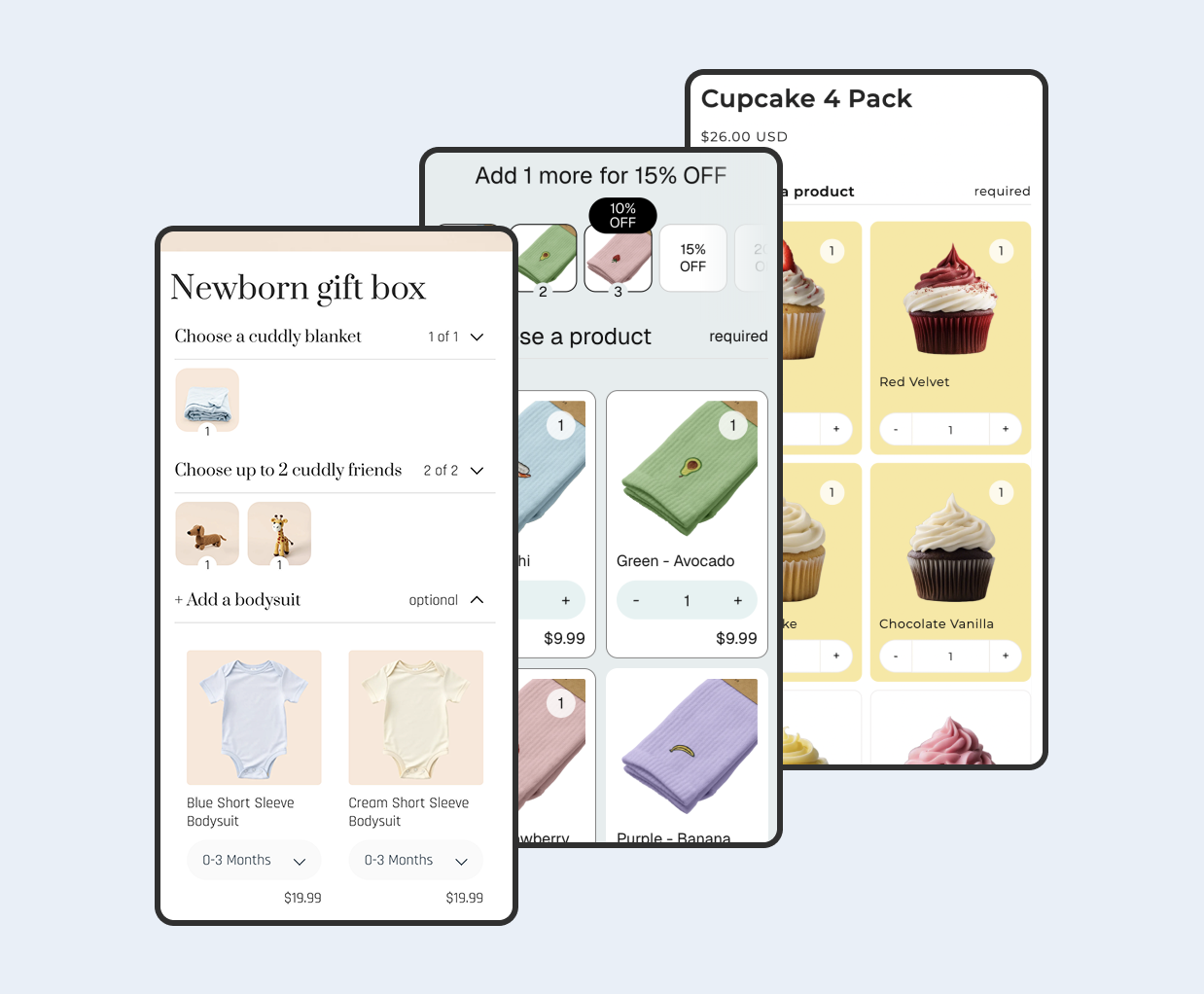
Biscuits Bundle Builder suits offers where customers choose the contents. You can organize choices into steps and apply minimum or maximum selections, then use the products already stocked in Shopify. The customer-facing flexibility does not require you to create a separate physical stock allocation for every possible box.
For a skincare store, that might mean choosing soaps in one step and a lotion in another. Those choices draw on the same products sold elsewhere in the storefront. The reason to choose a builder is the selection experience you need, alongside its documented handling of the selected components.
Allow for the commercial and merchandising work that comes with those choices. Check your expected order volume against the plan, then decide which products belong in each step. Inventory awareness cannot decide whether a particular assortment is sensible for your customer. A well-configured builder still needs a clear offer and enough suitable alternatives when popular products sell out.
What happens when a bundle component sells out?
Biscuits shows component availability while customers select products. If a required component becomes unavailable, or a required step has no available products, the bundle can become unavailable too. With interchangeable choices, check which alternatives remain available rather than assuming one sold-out option always stops every possible combination.

Availability can also depend on where the customer is shopping from. Biscuits' contextual availability guidance explains the role of markets, locations and shipping. Correct total stock does not guarantee that a particular selection is purchasable for every customer.
How to choose a Shopify bundle app with inventory sync
Start with the offer you want to sell, then check the stock behavior around it. A small set of practical questions is more useful than an unqualified promise of “real-time sync.”
- Define the customer's choice. Are they selecting a size within a predetermined set, or choosing the products that make up a box? This separates fixed-bundle needs from builder needs.
- Check component tracking. Verify that each product uses the intended inventory settings. Shopify excludes untracked products and products allowed to continue selling when out of stock from its bundle quantity constraint; automatic updates are not a universal overselling guarantee.
- Check sales and replenishment. Confirm what happens when a component sells alone, sells in a bundle, and is restocked. Compare available quantities and required units, not just the parent product's display.
- Check your fulfillment connection. If a warehouse or 3PL manages stock, confirm that it updates the actual component products. Review bundle and ERP integration when your order workflow needs a deeper assessment.
- Verify the sales context. Check the app's support for the channels and customer locations you use. General Shopify platform support does not establish every app's compatibility.
Choose Shopify Bundles when fixed sets or multipacks meet the brief and you want a free starting point. Choose Biscuits Bundle Builder when customer-selected contents and a guided mix-and-match experience are central to the offer.
In either case, keep component inventory accurate and assess the bundle against the same stock and fulfillment realities as the products sold individually. The goal is a useful bundle offer that fits the inventory workflow you actually run.
Keep a short acceptance checklist for your chosen setup: the component quantities you expect, the offers that share them, and the expected result after a sale or restock. That gives your team a concrete reference when adding another bundle or investigating a stock discrepancy, without introducing a second inventory spreadsheet to maintain.
 View on app store