

Overview
When you sell bundles on Shopify and run an ERP like NetSuite, Brightpearl, or Cin7, you face a quiet but consequential architectural decision: where should the bill of materials (BOM) live? You can either treat the bundle as a single dummy SKU in Shopify and let the ERP explode it into components for fulfillment, or you can use a bundle app that expands the cart into real component line items before the order ever leaves Shopify. This guide compares both patterns head to head so you can match the right approach to your bundle type, your ERP's capabilities, and the way your warehouse actually picks orders.
Contents
Side-by-side comparison
Dimension |
Dummy product (ERP explodes BOM) |
Expanded line items (Shopify expands BOM) |
|---|---|---|
Where the BOM lives |
In the ERP, mapped to a parent SKU |
In Shopify (app metafields or Cart Transform) |
What the ERP receives |
One bundle SKU per line |
Individual component SKUs |
Inventory decremented in Shopify |
Bundle SKU only (separate stock pool) |
Component SKUs (shared with single-unit sales) |
Best for |
Pre-assembled, manufactured kits with stable contents |
Mix-and-match, build-a-box, customer-curated bundles |
Revenue attribution |
Tracked against bundle in Shopify analytics |
Tracked against components (or allocated) |
Multi-location fulfillment |
ERP routes based on parent SKU stock |
Shopify checks component availability per location |
Implementation complexity |
Heavier ERP configuration, simpler storefront |
Heavier storefront app, simpler ERP mapping |
POS compatibility |
Strong (bundle scans as one SKU) |
Mixed; depends on app and |
Why this architectural choice matters
Bundles look simple in marketing but behave like two different products under the hood. Pre-built bundles or sets group products and sell them as a package, with the bundle treated as a single SKU, so revenue is tracked against the bundle, not the individual items, and inventory is managed as one item. Virtual or mix-and-match bundles work differently: in your analytics, the revenue from the virtual bundle is tracked as a single product, but your warehouse and ERP typically require the revenue to be attributed separately to each product in the bundle.
The friction shows up at the integration boundary. Shopify discounts or bundles may not map correctly to ERP item structures, and fulfillment workflows differ between stores or regions. Standard connectors compound the problem. As retailers scale, they often introduce more complex product offerings such as kits, gift cards, and service products, and standard Shopify NetSuite connectors are not designed to handle the intricacies of these products, resulting in frequent fulfillment errors and inventory mismatches. Kits bundle multiple products that may also be sold individually, and the challenge arises when one component is out of stock, making the kit unavailable. Standard Shopify NetSuite connectors do not account for the dependencies of kit components and require third-party apps like Bundles to compute kit inventory availability.
So the question isn't "which app has the prettiest builder." It's: at what layer do you want the BOM to be authoritative, and which system is best positioned to act on it?
Approach A: Dummy product with ERP-side BOM explosion
In this pattern, the bundle exists in Shopify as a single product with its own SKU, price, and inventory pool. When an order is placed, the ERP recognizes that SKU as a parent kit, looks up its BOM, and explodes it into component picks for the warehouse. Some teams build a true dummy product whose Shopify stock level is a derived number; others use an inventory-sync app that keeps the parent SKU's available quantity in line with the lowest component.
HotWax Commerce describes this pattern explicitly for NetSuite shops: to mitigate the risk of inaccurate kit inventory computation, HotWax Commerce recommends retailers set up kit products in Shopify as standalone products, assigning them their own SKUs just like any other item, and while these kits consist of multiple components, Shopify treats them as a single unit in the product catalog. NetSuite then plays a crucial role by linking the kit product to its individual components, and HotWax Commerce downloads these kit products from Shopify like regular items and uses its integration with NetSuite to identify the component products that make up each kit.
Strengths
Clean order data: the order downloaded to the ERP carries one line per bundle, which keeps invoices, tax reporting, and customer communications simple.
POS and barcode friendly: a pre-kitted SKU scans like any other product at retail, which matters if you're selling through Shopify POS or stocking pre-assembled kits.
Strong revenue attribution at the bundle level: finance teams can report on kit performance without summing components.
Works with any ERP that already has BOM/kit/assembly features: NetSuite, Brightpearl, Cin7, and Microsoft Dynamics all support parent-child item structures natively.
Limitations
Inventory math gets fragile. When the Bundles app calculates kit inventory by aggregating the lowest available stock of components, this method doesn't account for the need to have all components at a single location to fulfill a kit, and the result is often an inflated inventory count, which can lead to fulfillment issues when orders cannot actually be completed.
Customer-curated bundles don't fit. If shoppers pick from dozens of combinations, you can't pre-create a dummy SKU for each permutation without breaching Shopify's variant limits.
Dual sync risk. At what point are values updated and is there any risk of sync issues within orders, for example does the stock level need to update within Shopify or within the ERP and then feed back to Shopify, and if the inventory is shared, then how should an out-of-stock component product be handled?
Returns are messy. Restocking has to flow back through the ERP's BOM logic rather than against the line items the customer sees.
Side note - some bundle apps explicitly call their parent SKU a "dummy product" because it has no physical existence; it's a placeholder whose only job is to carry the BOM and a price.
Approach B: Shopify-side line item expansion
Here the BOM lives in Shopify. A bundle app uses Shopify's Cart Transform Function API (or older line item property tricks) to convert one bundle selection into multiple real component lines before checkout completes. The order that lands in your ERP already contains the individual SKUs your warehouse picks, so the ERP doesn't need a BOM table at all.
The mechanism is documented by Shopify: use the API to add product bundles to a store or break down bundled products into individual components, with associated data such as buyer identity, quantity, cost, and subscription information. A Cart Transform expand operation implements bundle expansion: when a customer adds a bundle product to their cart, it's automatically expanded into its individual components, so a "Holiday Package" bundle could be expanded into three separate products, each with its own price.
The operational benefit is significant. Shopify decrements inventory against component variants, not a synthetic bundle SKU, fulfillment receives real, physically pickable SKUs, you never have to maintain a shadow inventory model for bundles, and the bundle product can have "Continue selling when out of stock" enabled without consequence because stock is enforced at the component level.
Strengths
One inventory pool per component. A T-shirt that's sold both standalone and inside a starter kit decrements the same SKU, so there's no double-counting.
Handles infinite combinations. Mix-and-match, build-a-box, and tier-based bundles work without pre-creating a SKU for every permutation.
ERP integration becomes trivial. Your existing connector treats bundle orders like any other multi-line order; no BOM table, no kit assembly logic.
Component-level pricing supported. As of the 2024-01 Cart Transform Function API version, expand operations allow you to set fixed prices on each component of the bundle, resulting in a bundle price that is the sum of each component, and the expand operation also lets you define a custom title and image for each parent line item, giving you more control over bundle pricing.
Limitations
Selling plan conflict. Shopify rejects lineExpand, linesMerge, and lineUpdate operations if a selling plan is present. That means subscriptions and Cart Transform don't mix cleanly.
POS edge cases. ProductVariant.requiresComponents boolean has to be true for complete cartTransform support on POS. Misconfiguration here can break in-store scanning.
Discount layering is tricky. Discount functions and Cart Transform solve different problems but often touch the same lines, and as Shopify's docs say, discount functions run concurrently and have no knowledge of each other; the same practical independence applies when Cart Transform restructures lines before discount logic is evaluated in the checkout flow.
Function limits. Shopify's current Function docs list an 11 million instruction limit for carts with up to 200 line items, a 128 kB function input limit, and a 20 kB function output limit. Very large carts can hit ceilings.
Bundle-level revenue reporting is harder. Components appear independently in analytics unless you tag lines with bundle metadata.
Tools that implement each pattern
Biscuits Bundles (Shopify-side expansion)
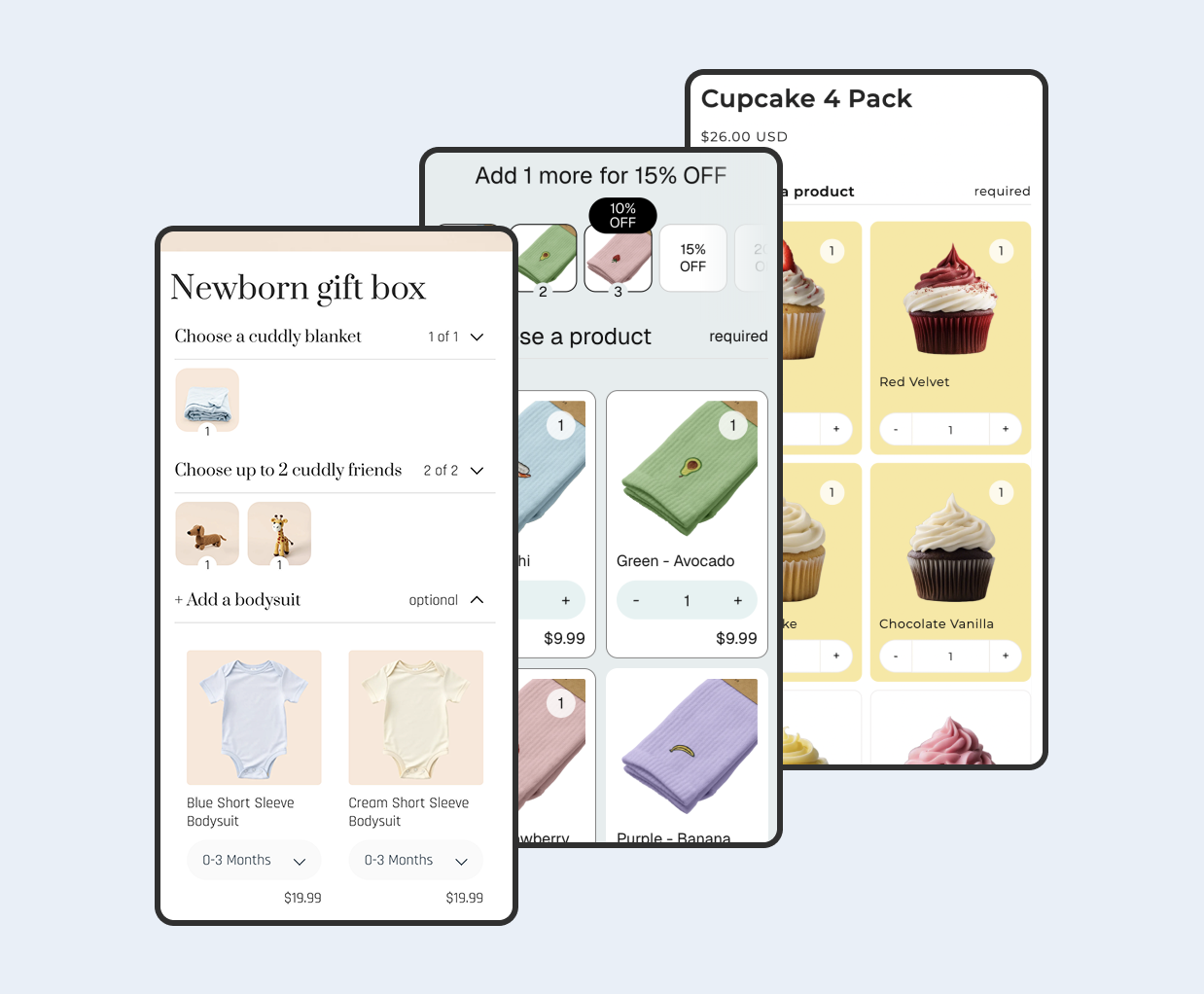
Biscuits Bundles is built on Shopify's native bundle platform, so the bundle you build resolves into real component variants at checkout: orders flow into your ERP as line items rather than as a single dummy SKU. It's designed for the build-a-box and mix-and-match patterns where customers curate their own selection. Key fit for ERP workflows includes a multi-step builder with required and optional steps, single- and multi-select with min/max constraints, quantity selectors with total limits, and pricing modes covering sum of products, fixed price, percentage or amount off, and volume discount tiers. You can preview the patterns on the demos page or install from the Shopify App Store.
Be aware of the trade-offs: Biscuits Bundles requires an Online Store 2.0 theme with app blocks, runs on the Online Store sales channel only (no POS or Shop app), is not compatible with subscriptions or purchase options, and on Shopify Markets, pricing converts via Shopify rates rather than per-Market fixed pricing. Those constraints map directly to the limitations of the underlying Cart Transform pattern.
Simple Bundles & Kits (Shopify-side expansion)
Simple Bundles is widely used in 3PL and ERP setups. Its pitch is to boost AOV with bundles ranging from mix-and-match to multipacks and B2B packs, bypass Shopify's 2048 variant limit with unlimited bundle options, and integrate POS, ERP, WMS, and 3PL to break down bundles into individual SKUs for order fulfillment and inventory sync.
Bundles.app / Inventory Sync (dummy product pattern)
The Bundles.app and similar inventory-sync apps lean toward the dummy product side: the bundle is a real Shopify product, and the app keeps its stock level in lockstep with components. It seamlessly merges components and automatically adds their SKUs into the bundle's metafield, computing inventory by considering the lowest available quantity among individual components, so a bundle of a Sunglass with stock of 7 and a frame case with stock of 10 has a calculated bundle inventory of 7.
Assemblified BOM (dummy product pattern, manufacturing-leaning)
For shops that physically assemble kits, Assemblified introduces Bill of Materials management directly into Shopify, letting you define product recipes from simple kits to complex multi-level assemblies and automatically syncing stock levels when an order is placed, refunded, or canceled. It's a useful midpoint when the ERP's kitting features are weak.
OMS as a third layer
If neither Shopify nor your ERP feels like the right home for the BOM, an OMS can sit between them. HotWax Commerce, as an Order Management System, simplifies the handling of bundles for Shopify retailers, integrated seamlessly with Shopify; it synchronizes the inventory of components by linking individual component SKUs with bundles, uses dedicated ship groups for bundles to ensure precise coordination with fulfillment teams, and integrates with ERP systems like NetSuite to communicate bundle information between NetSuite and Shopify.
When to use each
-
Use the dummy product / ERP-side BOM approach when:
Your bundles are physically pre-assembled (gift sets, starter kits, manufactured kits with a UPC).
Your ERP already has mature kit/BOM/assembly features and your accounting team relies on bundle-level revenue attribution.
You sell through Shopify POS and need bundles to scan as a single SKU.
The bundle contents are stable and the number of permutations is small.
You're on Shopify Plus and willing to invest in an OMS or middleware layer to broker stock.
-
Use the Shopify-side expansion approach (Biscuits Bundles, Simple Bundles) when:
Customers curate their own bundle (build-a-box, mix-and-match, choose-your-flavors).
Component SKUs are also sold individually and must share a single inventory pool.
Your ERP integration is a thin connector (Shopify-NetSuite Celigo, Brightpearl native, Cin7) and you don't want to maintain a BOM table on both sides.
You need bundles to bypass Shopify's variant limit without creating dozens of dummy products.
You're not relying on subscriptions or selling plans for the bundle itself.
Tip - if you can't decide because your catalog mixes both patterns (pre-assembled gift sets and build-a-box products), you don't have to choose. Use a dummy-product app for the manufactured kits and a Cart Transform app like Biscuits Bundles for the configurable ones. Just be sure both apps don't try to install Cart Transform functions simultaneously on the same store, since you can install a maximum of one cart transform function on each store.
Verdict
For most Shopify merchants whose bundles are customer-configured and whose components also sell on their own, Shopify-side line item expansion is the cleaner architecture. The ERP stays simple, inventory is decremented against real SKUs, and there's no shadow stock pool to reconcile. Biscuits Bundles is a strong default here because it's built on Shopify's native bundle platform, so the line items the ERP receives are real Shopify variants, not synthetic placeholders. Pair it with whatever Shopify-to-ERP connector you already have and the integration "just works" because there's nothing exotic for the connector to interpret.
If your bundles are physically pre-assembled kits with their own UPC, or you depend heavily on Shopify POS, the dummy product pattern is still the right call - just make sure your ERP (or an OMS like HotWax) actually does the BOM explosion, and don't rely on a basic inventory-sync app alone for multi-location fulfillment. Standard Shopify-NetSuite connectors require third-party apps like Bundles to compute kit inventory availability, and even these apps struggle with multi-location fulfillment because they aggregate inventory from multiple locations without ensuring all components are available in the same location.
The wrong move in either direction is hidden complexity. A dummy product without a real ERP-side BOM is a sync time bomb; a Cart Transform setup applied to subscription bundles will silently fail at checkout. Pick the pattern that matches the physical reality of how your bundle is made, picked, and shipped, and let the rest of the stack follow.
 View on app store