

Overview
Shopify’s Bundles app is designed for fixed bundles and multipacks. If customers need to choose their own combination from a product pool, such as any six cookies or one item from each gift-box category, you need a mix-and-match bundle builder app.
This guide helps you decide between Shopify Bundles and a specialist app without repeating the full setup process. It compares customer choice, selection rules, pricing, inventory and storefront presentation, then points you to the right next step.
Biscuits Bundle Builder is one option for guided build-a-box and mix-and-match experiences. It supports step-based choices, minimum and maximum selection rules, several pricing methods and component inventory.
Contents
Can Shopify create mix-and-match bundles?
Shopify can create fixed bundles and multipacks through the Shopify Bundles app. Customers can select available options, such as a size or colour, for products already included in that bundle. The merchant still decides which products make up the offer.
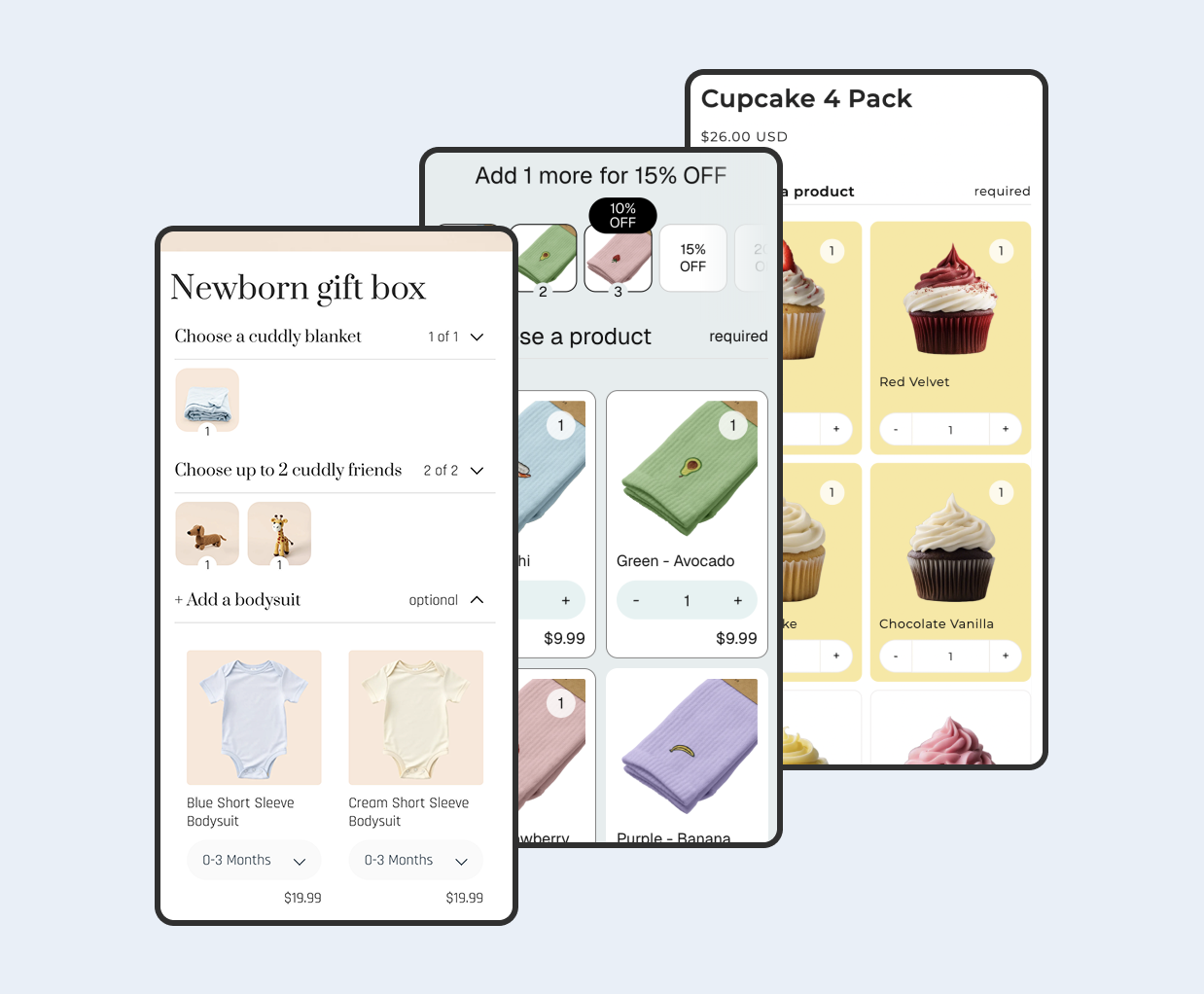
A mix-and-match bundle works differently. The shopper chooses which products or variants will be included, while the builder enforces rules such as “pick six,” “choose one from each category,” or “select between three and five items.” That storefront selection experience comes from a bundle builder app.
If you are still deciding what each term means, start with the BYOB and Shopify bundle glossary.
Shopify Bundles vs bundle builder apps
| Decision | Shopify Bundles | Mix-and-match bundle builder |
|---|---|---|
| Who chooses the contents? | The merchant defines the products and quantities. | The shopper chooses from products or variants allowed by the merchant. |
| Typical offers | Fixed kits and multipacks. | Build-a-box, gift boxes, sample packs and guided custom kits. |
| Selection rules | Customers choose from the variants attached to the predefined bundle components. | The app can enforce step rules, required choices, minimums, maximums and quantity limits. |
| Pricing | A fixed price is set on the bundle product or its bundle variants. | Depending on the app, pricing can follow selected products or use fixed, percentage, amount-off or volume-discount rules. |
| Storefront experience | A standard Shopify product page for the predefined bundle. | An app block or dedicated builder that guides customers through their choices. |
| Inventory | Availability follows the component products in the fixed bundle. | A native-bundle app should use the selected components and their inventory rather than a separate manual stock count. |
When should you use Shopify Bundles?
Use Shopify Bundles when the offer itself is fixed and the customer only needs to choose variants that belong to those predefined components. It is a practical choice for a skincare routine containing the same cleanser, serum and moisturiser in every order, or a multipack containing several units of one product.
The native app keeps the setup close to Shopify’s product and inventory model. It can be enough when you do not need a guided builder, category-by-category choices, changing item counts or more flexible discount rules.

Check the current Shopify bundle documentation before launch, especially if your store uses subscriptions, Shopify POS, B2B or other sales channels. Eligibility and sales-channel behavior can affect which approach is suitable.
When do you need a mix-and-match bundle app?
Use a specialist app when the customer’s choices change the contents of the bundle. Common examples include:
- Pick any six cookies from a larger flavour range.
- Build a gift box by choosing one box, two products and a card.
- Create a skincare routine with one cleanser, one treatment and one moisturiser.
- Select between three and five products, with a larger discount at the higher quantity.
- Choose separate sizes or variants for different items in the same offer.
Biscuits Bundle Builder is designed for this type of guided choice. Its documented features include collapsible steps, single-select or multi-select rules, minimum and maximum selections, quantity limits, fixed or discounted pricing, component inventory and Shopify Markets pricing.

For the full implementation process, follow the mix-and-match bundle setup guide. If you are comparing products rather than configuring one, use the Shopify build-a-box app buyer’s guide.
What should you check before choosing a bundle app?
Can it enforce the choices your offer requires?
Write the rules before comparing apps. Record the number of steps, whether each step is required, minimum and maximum selections, whether repeats are allowed, and whether shoppers choose products, variants or quantities. A polished layout is not useful if it cannot enforce the offer.
Does its pricing match your merchandising plan?
Decide whether the bundle price should equal the selected products, use a fixed total, apply a percentage or amount discount, or change at quantity thresholds. Test rounding, discount combinations and market-specific prices before you publish.
Does it use real component inventory?
The order should retain the actual selected products and variants so inventory, picking and reporting remain useful. If you sell the same component separately and inside a bundle, both paths should use the same stock. See the guide to Shopify bundle apps with automatic inventory sync for the operational details.
Will the builder work in the places customers use it?
Check the full product page, mobile layout, quick add or quick view behavior, cart drawer and checkout. A bundle needs customers to complete its required choices before it can be added successfully, so test every entry point your theme exposes.
How should you plan and test the bundle?
- Write one sentence describing the offer. For example, “Choose any six cookies for a fixed price.”
- List the exact selection rules. Include required steps, limits, repeats and variant choices.
- Choose the simplest tool that satisfies those rules. Use Shopify Bundles for a predefined set and a mix-and-match app for customer-built contents.
- Test available and unavailable components. Confirm the shopper can complete the bundle only when its requirements can be met.
- Place a complete test order. Review the product page, cart, checkout, order lines, inventory deductions and fulfillment view.
- Repeat in each important market and device layout. Do not assume a successful desktop test covers mobile, localized pricing or regional inventory.
Common questions
Can I create a Shopify mix-and-match bundle without an app?
You can manually present products together or use discounts, but Shopify Bundles itself creates fixed bundles and multipacks. A true builder that validates customer-selected contents requires app or custom storefront logic.
Is a fixed bundle with variant choices the same as mix-and-match?
No. Letting a customer choose the size or colour of a product already included in a fixed set is different from letting them decide which products make up the set.
Should the bundle product have separate inventory?
Usually not when the offer uses native bundle components. Availability should be based on the products and variants inside the bundle. Follow the app’s documentation and test the final order lines before changing inventory settings.
 View on app store