

Overview
Many Shopify bundle apps advertise multi-currency support but they do not necessarily use the custom prices you configured for each Market or Catalog in Shopify. Instead they convert the price at a live exchange rate that differs from your catalog prices, adjustments and product availability. Biscuits Bundle Builder supports mix-and-match bundles with Shopify Markets catalog pricing through its localised-pricing feature. This guide compares Biscuits, Bundly and Simple Bundles on those requirements so you can choose and test the right setup.
Contents
- Which Shopify bundle builder apps work with Shopify Markets?
- Is multi-currency support the same as Shopify Markets support?
- Biscuits Bundle Builder for mix-and-match bundles across markets
- Bundly for multi-step international bundles
- Simple Bundles: which Markets pricing limitations matter?
- How do you test a bundle builder across Shopify Markets?
- Which bundle builder should you choose for your markets?
Which Shopify bundle builder apps work with Shopify Markets?
Start with Biscuits for guided mix-and-match bundles, consider Bundly for its stated international builder support, and assess Simple Bundles against its documented pricing restrictions. The best choice depends on whether you set a bundle total yourself or calculate it from the shopper’s selected products.
This comparison is published by Biscuits Bundle Builder and uses Shopify and vendor documentation. It is a focused shortlist, not an independent performance ranking or a hands-on checkout test of all three apps.
| App | Markets and catalog evidence | Pricing in USD | Best fit |
|---|---|---|---|
| Biscuits Bundle Builder | Localised component pricing or fixed totals per catalog; configuration requirements apply. | Free tier; Standard $18.99/month; Advanced $49.99/month. Check localised-pricing entitlement. | Guided, customer-built bundles across markets. |
| Bundly | Vendor explicitly names Markets, B2B catalogs and multi-currency; verify your exact catalog setup. | Basic $29/month; Standard $59/month. | Multi-step builders with international requirements to validate. |
| Simple Bundles & Kits | Market pricing guide includes restrictions for dynamic Infinite Options bundles. | Free tier; paid from $14/month for Shopify Basic. | Bundle configurations that fit the documented pricing model. |
App prices are separate from your Shopify subscription. Check the linked listings and feature entitlements before choosing a plan.
Is multi-currency support the same as Shopify Markets support?
No. Displaying another currency answers one question: “Can the shopper see a local-currency price?” Markets compatibility also needs to answer: “Is this the price and product assortment I configured for that shopper?”
Can a bundle use custom catalog prices instead of currency conversion?
A converted home price can differ from a deliberately set catalog price. Shopify catalogs let you specify product prices and percentage adjustments; a manually set product price overrides the catalog’s overall adjustment. See Shopify’s catalog rules.
For a hypothetical example, you price tea at £12 and a mug at £8 in the UK, but the same items at €18 and €10 in France. A 10% bundle discount should produce £18 and €25.20 respectively, before delivery, duties or taxes. Converting the UK bundle total would answer a different pricing question.

Can bundle products and availability differ by market?
Yes. Catalogs can control product inclusion as well as price. For a mix-and-match builder, check both the bundle product and the choices inside it: a visible bundle should not imply that every component is available in every destination.
Ask vendors to demonstrate your actual requirement. “Multi-currency” alone does not tell you whether custom component prices, market assortment and the resulting checkout amount all agree.
Biscuits Bundle Builder for mix-and-match bundles across markets
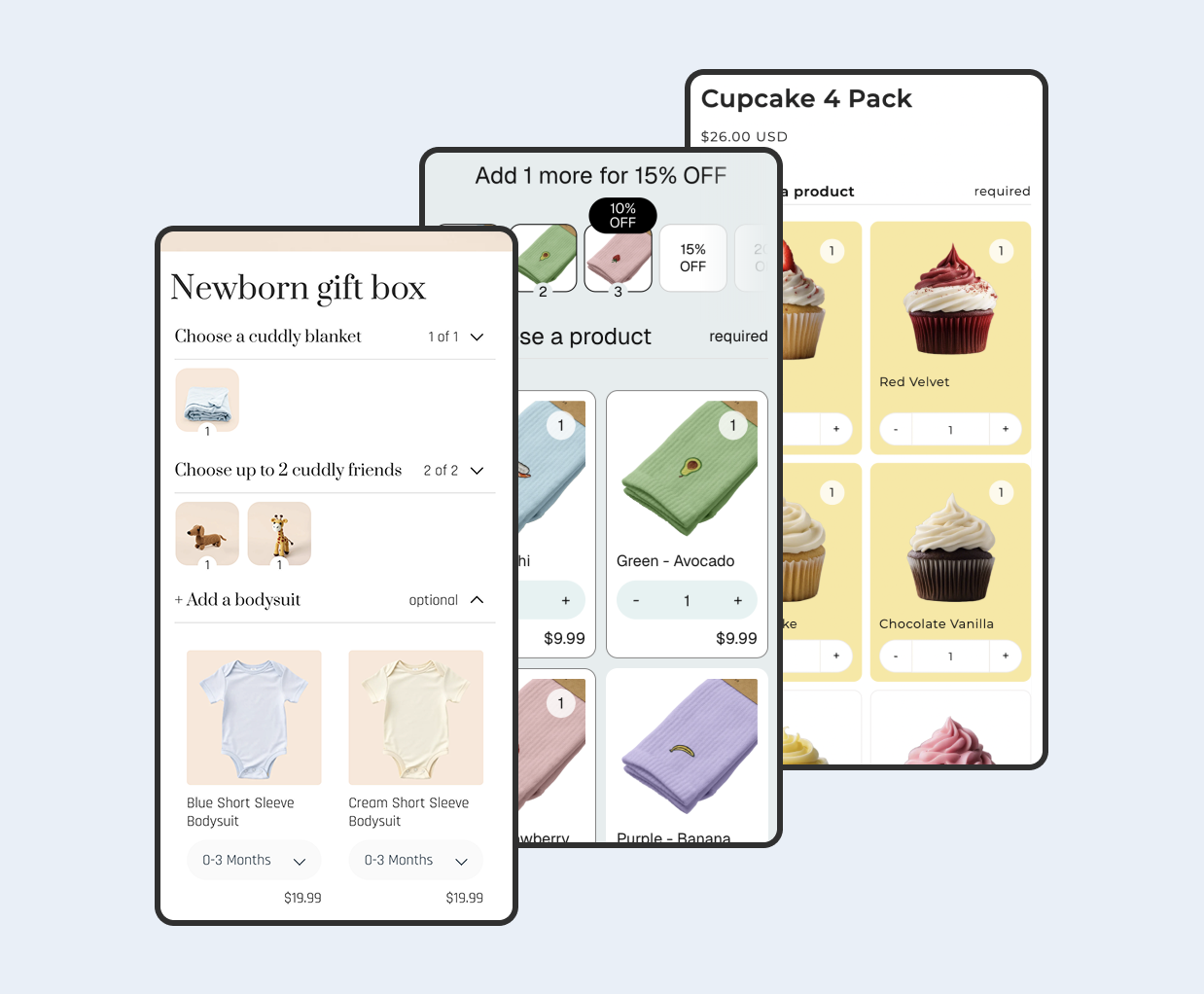
Biscuits provides a visual, step-based builder with selection limits, required products and optional additions. That suits a gift box or kit where customers choose the contents rather than buying one predetermined combination.

Can Biscuits use market catalogs and regional inventory?
Yes, with localised pricing configured. Component-priced bundles use the selected products’ local prices minus the bundle discount; fixed-total bundles can have an exact total per catalog. For accurate displayed component-based totals, set fixed catalog prices, at least for the default components.
The localised-pricing guide also sets boundaries: use an eligible plan and the Biscuits add-to-cart button. Fixed-price volume tiers are unsupported. Localised bundles use product-level publishing, do not support POS or subscriptions, and the automatic price-maintenance process does not manage B2B catalogs. Catalog edits can take up to a day to reach maintained display prices.
For availability, Biscuits checks component eligibility for the shopper’s market and serving locations. Keep the bundle and relevant components published and the appropriate locations enabled. Its multi-location selling guide explains those requirements.
How much does Biscuits Bundle Builder cost?
The free tier includes one bundle and up to 25 orders monthly, with usage charges beyond that and no Shopify Plus access. Standard is $18.99/month for up to 20 bundles; Advanced is $49.99/month for up to 100. Those are general plan limits: confirm localised-pricing access in Billing.
When is Biscuits a good fit?
Consider Biscuits when the shopping experience needs guided choices and your pricing needs to follow market catalogs. A useful trial is one real bundle with your usual selection rules, tested in two markets with deliberately different prices.
Bundly for multi-step international bundles
Bundly is another option for customer-built boxes and multi-step selections. Its official product page explicitly refers to Shopify Markets, B2B catalogs and currencies, making it relevant to this shortlist.

Which international bundle features does Bundly offer?
Bundly describes mix-and-match, curated sets and guided builders. Its listing places Markets, B2B and multi-currency support in Basic, alongside configurable pricing and storefront labels.
These are vendor-stated capabilities. The pages reviewed do not establish exactly how every custom consumer-market component price, regional exclusion or checkout scenario behaves. Explicit B2B catalog support is useful evidence, but it does not substitute for testing your consumer-market catalog rules.
How much does Bundly cost?
Basic costs $29/month; Standard costs $59/month. Both list a 14-day trial. Standard adds controls for specific variant options, expanded analytics and priority support.
When is Bundly a good fit?
Consider Bundly if its builder layout fits your products and you want an alternative that explicitly addresses international selling. Before committing, request confirmation using two component prices from your own catalogs, rather than asking only whether it supports multiple currencies.
Simple Bundles: which Markets pricing limitations matter?
Simple Bundles covers fixed bundles, kits and customer-selectable formats, with component breakdown and inventory features. Its suitability for Markets depends on the exact bundle type and pricing setup.
Can Simple Bundles use custom prices by market?
Its Markets pricing guide documents setting a fixed catalog price on a bundle parent. However, it says the app does not automatically maintain each market’s parent price as the sum of component prices.
The guide also warns that dynamic Infinite Options pricing relies on live currency conversion, so custom market prices may not apply correctly. It flags possible component-price fallback to converted default prices. Treat these as Simple Bundles’ documented caveats for the relevant setup; they do not establish a universal limitation across competitors.
How much does Simple Bundles cost?
The free plan lists three bundles and 50 monthly orders. Paid plans are $14/month for Shopify Basic, $39/month for Grow or Advanced, and $149/month for Plus. Compare the plan corresponding to your store.
When should you consider Simple Bundles for Shopify Markets?
Consider it when a fixed parent price per market meets your requirements and the proposed configuration passes your checks. If customers must freely combine items priced from custom catalogs, resolve the Infinite Options limitation before choosing it.
How do you test a bundle builder across Shopify Markets?
Use a small acceptance test before rebuilding your full bundle range. Write the expected results first so you can distinguish a successful local-currency display from the correct catalog calculation.
- Choose two meaningful markets. Pick destinations where you intentionally use different pricing or assortments, rather than two that only convert the same home prices.
- Record one exact selection. Note product variants, quantities, applicable catalog prices and the intended discount. Include one manually priced component so conversion alone cannot accidentally pass.
- Calculate the expected merchandise amount. For component-based pricing, add the selected local prices and apply the bundle rule. For a fixed-total offer, record the catalog total instead.
- Follow the customer journey. Choose the market, build the bundle, open the cart and continue to checkout using the relevant destination. Compare merchandise prices separately from delivery, duties and taxes.
- Change the selection. Swap in a higher-priced component, change a quantity and repeat. A single successful combination cannot establish that every permitted choice is priced correctly.
- Keep a short test record. Save the market, chosen items, expected amount and observed result. Repeat after changing catalogs, discount rules or integrations.
Why can a bundle price change between the product page and checkout?
Possible explanations include a converted display price, a different applicable catalog, rounding or a discount rule that changes the calculation. A Shopify developer support issue describes why currency conversion alone can be insufficient for contextual component pricing. That report motivates careful testing; it is not a diagnosis for your store.
Compare the exact same selections in the same market. A starting price based on default items should not be compared with the total after a customer chooses more expensive products.
What happens if a bundle component is unavailable in one market?
Test optional and required products separately. Biscuits documents that an unavailable optional choice can be blocked while the bundle remains buyable; an unavailable required product or a required step without available choices can stop the bundle. See contextual availability and our multi-location inventory explanation.
For your trial, choose a component excluded from one market and confirm shoppers cannot select it there. Then check whether enough eligible choices remain to complete each required step.
Which bundle builder should you choose for your markets?
Choose around the pricing behavior you need. Biscuits is a strong starting point for guided mix-and-match bundles using localised catalog pricing. Bundly is worth evaluating where its stated international support fits your builder requirements. Simple Bundles is a conditional option when its documented pricing restrictions fit your offer.
Compare each app against the same written examples, not the number of compatibility badges. If you also need to understand shared component stock, our bundle inventory-sync comparison covers that separate decision.
The practical goal is straightforward: customers should see eligible choices, understand their local price and reach checkout with the merchandise amount you intended.
 View on app store