

Overview
Biscuits Bundle Builder supports custom fields for mix-and-match bundles, giving shoppers a place to enter gift messages, names and other instructions while choosing products. Boxi and Kitenzo also document personalization features, with different field scopes, costs and setup requirements. This guide compares their published capabilities and explains what to check so the answers reach the right place on your order. The goal is a bundle that your customer can personalize and your team can fulfill without guessing.
Contents
- Which Shopify bundle builder apps support custom fields?
- Custom fields vs line item properties: what is the difference?
- Biscuits Bundle Builder: custom fields for mix-and-match bundles
- Boxi: custom fields for boxes and individual products
- Kitenzo: product personalization inside bundles
- Will custom fields reach checkout and fulfillment?
- How to choose a Shopify bundle builder with custom fields
Which Shopify bundle builder apps support custom fields?
Biscuits Bundle Builder, Boxi and Kitenzo all document ways to collect customer inputs while building bundles. The useful comparison is which information they collect, where it is saved and what you must enable before using it.
| App | Custom-field focus | Pricing in USD | Best suited to |
|---|---|---|---|
| Biscuits Bundle Builder | Step-based fields and component-property assignment | Standard $18.99/month; Advanced $49.99/month. Confirm field entitlement. | Guided mix-and-match gift sets |
| Boxi | Whole-box data and product-specific personalization | Basic $21/month; product fields require Advanced at $79/month | Boxes needing messages or personalized products |
| Kitenzo | Product personalization with reusable field sets | $299/month plus 1% per bundle transaction | Stores with more budget for product personalization |
These are recommendations based on documented capabilities, not a scored installation test. Feature access, sales allowances and setup requirements matter as much as the headline price. Check each app's listing before subscribing.
Custom fields vs line item properties: what is the difference?
A custom field is the input your shopper sees, such as a gift-message box. A line item property is a name-and-value pair saved with a particular cart or order item. Shopify's line item documentation describes these properties as a way to capture additional product information.
For example, “Embroidery name” is the field label and “Olivia” is the answer. That answer needs to stay associated with the item your team will embroider. A product variant, such as a blue blanket, answers a different question: which stocked version is being purchased.
Do you need a message for the whole box or a field for each product?
Write down the scope before choosing an app. One message for an entire hamper is different from two mugs that each need a different name. For the second case, ask the vendor to demonstrate separate answers, including when the shopper selects the same product more than once.
Do not assume every “custom fields” feature creates product properties. Boxi, for example, documents whole-box Custom Data Step values in the order's Additional details. Decide where your packing team needs the information, then check the app against that requirement.

Biscuits Bundle Builder: custom fields for mix-and-match bundles
Biscuits is a relevant starting point when shoppers choose the contents of a gift set and provide instructions during the same flow. Its Custom Fields feature is labelled beta in the help documentation.
Biscuits custom field features and line item property handling
The built-in custom fields include short and long text, radio choices, dropdowns and checkboxes. Groups attach to a bundle step; answers can be assigned to the first selected product or all selected products in that step. Required fields and text limits help you collect usable instructions.
There is also a separate line item properties pass-through setting for inputs already collected on the parent product page. It carries those values onto bundle components. This is useful when retaining an existing theme field, but it is not the same feature as adding a field inside the builder.
Pass-through does not support file or image inputs. Compatibility with another options app depends on how it adds properties and whether it interferes with the theme's normal add-to-cart process, so test that combination before launch.

Biscuits pricing and custom field availability
The App Store listing shows Standard at $18.99/month and Advanced at $49.99/month. Confirm the plan required for your number of field groups and conditional display before upgrading. Ask support to confirm the required entitlement for your intended setup.
When is Biscuits a good fit for personalized bundles?
Choose Biscuits when a guided mix-and-match flow and straightforward customer instructions are central to the offer. Start with one realistic gift set and decide which selected item should carry each answer.
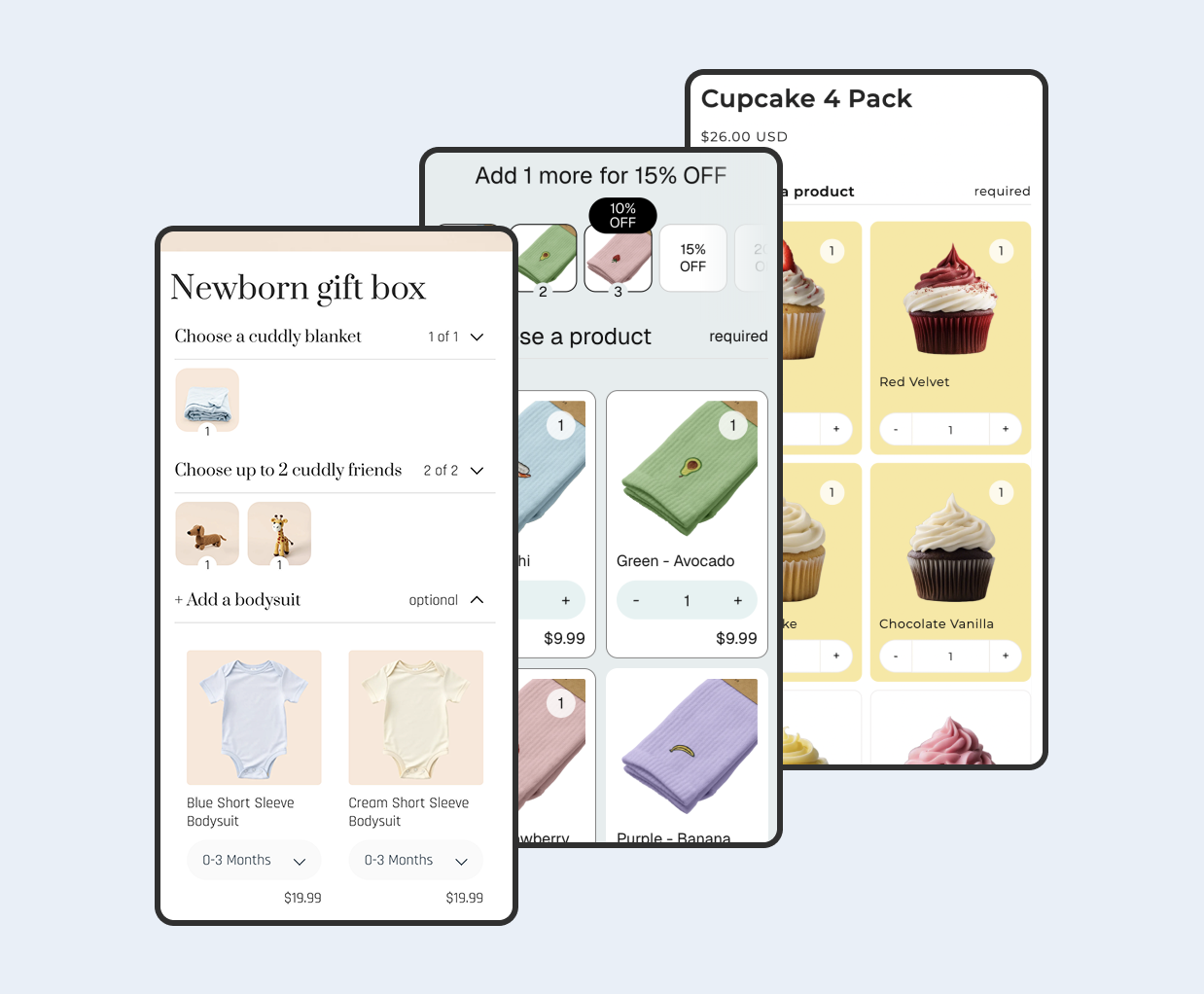
The newborn gift-box demo provides a useful example of the shopper experience: selecting embroidery reveals a required Name input. A storefront demonstration shows the field interaction; it does not replace checking your own completed order and fulfillment output.

Boxi: custom fields for boxes and individual products
Boxi is worth comparing when your requirements include both information about a whole box and customization of individual products. Its documentation distinguishes those two cases, which makes scope an important part of the buying decision.
Boxi personalization features and where answers are saved
With product personalization, you choose a product inside the builder and add fields to it. The guide includes an image-upload example and a required-field setting. When the box is added to cart, the personalized product receives the field value as a line item property.
By contrast, Custom Data Step answers appear under Additional details on the order. If your process expects instructions beside each product, confirm that you are configuring product personalization rather than relying on a whole-box data step.
Boxi pricing for box-level and product-level fields
Basic costs $21/month, includes custom box fields and allows up to $1,000 in monthly bundle sales. Product-level custom fields require Advanced, listed at $79/month with up to $15,000 in monthly bundle sales. These are sales allowances, not numbers of orders.
When is Boxi a good fit for personalized gift boxes?
Boxi is a candidate for stores that need product-specific inputs, including customer images, alongside a box-building experience. Compare the required plan against your expected bundle revenue. Also check what your fulfillment integration imports: a visible answer in Shopify is only useful if the people preparing the personalized item can find it.
Kitenzo: product personalization inside bundles
Kitenzo merits a look when you want product personalization and can justify a larger app budget. Confirm feature access with its support team before investing time in the setup.
Kitenzo personalization features and template requirements
Kitenzo's personalization guide documents text, dropdown, checkbox and image inputs. You can create fields for one product or reuse a saved set across products. Required inputs are supported.
There are specific access conditions: personalization must be enabled for the store and works with the Core template and Standard bundle type. Do not assume it will appear on a different template or bundle configuration.
Kitenzo pricing and optional personalization fees
The listed Performance plan costs $299/month plus 1% per bundle transaction. For illustration, if $10,000 is the amount subject to that percentage fee, the app cost is $399: $299 plus $100. That is app expenditure, separate from any personalization charge you collect from customers.
Optional personalization fees require separate enablement. Kitenzo documents them as their own cart line items, outside the bundle discount. Confirm availability and the exact behavior for your products with support.
When is Kitenzo a good fit for product personalization?
Kitenzo is worth shortlisting if reusable product field sets and supported upload inputs address a real operational need. Ask for a demonstration using your most complicated personalized box. For a small store collecting one short message, compare that requirement carefully against the recurring fee and transaction charge.
Will custom fields reach checkout and fulfillment?
Check the complete journey before sending customers to a personalized bundle. In a merchant support example, product variant selections reached the order while custom options and additional charges did not. That report is a reason to test the handoff, not evidence that every app has the same problem.
What should you check if bundle line item properties are missing?
Use a distinctive sample answer and trace it through these checkpoints:
- Builder: does the correct field appear for the selected item, and does required-field validation work?
- Cart: is the answer attached to the intended component or stored at another documented level?
- Checkout and order: does the exact answer survive, including punctuation and a longer message?
- Fulfillment: can the packing slip, order export or production system show the instruction where your team expects it?
Then add two personalized bundles with different answers to the same test cart. Check that changing or removing one selection does not leave the other box with the wrong instruction. This is a proposed merchant test, not a claim that all three apps have been tested under every cart configuration.
Missing display and missing data are different problems. If a value exists on the order but is not shown in the cart or email, review the display layer. Our guide to line item properties and hidden-property display covers those mechanics separately.
Can custom fields charge extra for a gift message or engraving?
A text field does not create a charge by itself. Decide whether personalization is included in your price or requires a paid item or fee, then verify the final amount.
Biscuits documents an optional paid gift-card step: a normal product represents the charge and the message is attached to that component. With Sum of Products, its price is added. Percentage or amount discounts can reduce the charge, while Fixed Total Price keeps the bundle total fixed, so selecting the card does not increase it. The guide specifies Advanced for its conditional-field setup.
Kitenzo's separately enabled fee approach behaves differently, keeping its personalization fee outside the bundle discount. For Boxi, confirm any additional-charge requirement with the vendor rather than inferring it from custom-field support.
Tip - Give the person preparing orders your test purchase without explaining it verbally. If they cannot confidently identify the correct name, message and paid service, improve the labels or data placement before launch.
How to choose a Shopify bundle builder with custom fields
Choose against a short list of actual requirements, not the largest feature list. Start with one sample box, write the answers a customer might enter, and mark whether each answer belongs to a product, one bundle or the entire order.
- Start with Biscuits for a guided mix-and-match gift set with text or choice inputs. Check component assignment and the plan needed for the intended setup.
- Compare Boxi when you need whole-box data, product personalization or image inputs, accounting for its plan and sales allowances.
- Consider Kitenzo when its reusable product personalization fits your workflow and the higher app cost makes sense. Confirm template compatibility and access first.
Make uploads, required answers, paid extras and fulfillment visibility explicit requirements. If you are also comparing the wider builder experience, use our broader build-a-box app comparison alongside this field-specific checklist.
The strongest choice is the app that can show your exact personalized bundle arriving as a clear, usable order. Use its trial or a supported demonstration to verify that journey before committing.
 View on app store