

Overview
If your catalog lists every colour or material as its own product, shoppers end up hopping between near-identical pages and your collection grids look cluttered. Rubik Combined Listings Swatch, built by Craftshift, links those separate products together and shows them as colour or image swatches on both product pages and collection cards. It carries a 5.0 star rating on the Shopify App Store at the time of writing, works on every plan and theme, and syncs product details and stock across linked items automatically.
Contents
What Rubik Combined Listings does
Many Shopify stores grow their catalog by duplicating a product for each variation. A t-shirt in eight colours becomes eight separate products, each with its own URL, its own reviews, and its own place in the collection grid. That structure is simple to manage in the admin, but it splits attention and SEO value across pages that are really the same item.
Rubik Combined Listings takes those sibling products and presents them as one listing with swatches. A customer sees a single product with colour or image swatches to switch between, and the collection page shows one card with the available options instead of eight near-duplicates. The swatches are lightweight, so they add the grouped display without dragging down page load, and the app keeps titles, pricing, stock, and availability in sync across every linked product in real time.
Side note - this is different from creating variants inside a single product. Your products stay separate in the admin, which keeps existing URLs, inventory, and reporting intact, while the storefront shows them as a combined listing.
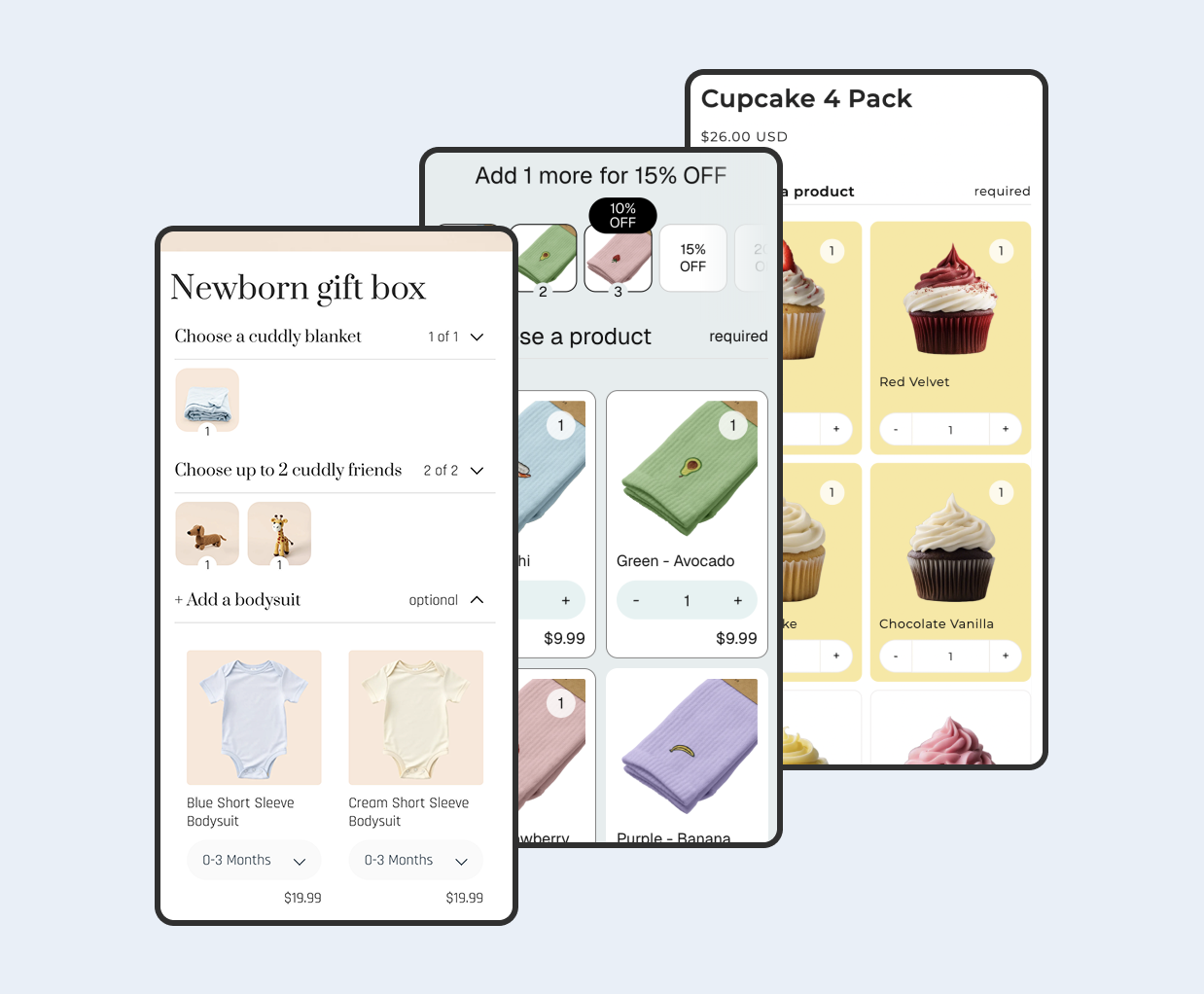
https://cdn.shopify.com/app-store/listing_images/f411f063c35a3b103222ae59e0ed272c/promotional_image/CLfygJ3WupMDEAE=.png
Features at a glance
| Feature | What it does |
|---|---|
| Colour and image swatches | Shows linked products as colour swatches or product-image swatches on product pages and collection cards, with extensive style controls. |
| Product grouping | Combines sibling products so a group displays as one listing with selectable options. |
| Bulk grouping | Builds groups automatically using title patterns, tags, or metafields, so you are not linking products one by one. |
| AI tools | AI bulk grouping and auto-fill help create groups and populate group details quickly. |
| Real-time sync | Keeps product info, inventory, and status aligned across all linked products. |
| Stock handling | Shows out-of-stock options crossed out, moved to the end, or hidden, and auto-hides archived products. |
| Subcategories | Groups swatches under sub-sections such as "Limited edition" for clearer choices. |
| Multi-language and currency | Supports 15+ languages and multiple currencies for international stores. |
The app is listed as Built for Shopify, Shopify's mark for apps that meet its highest bar for performance, design, and integration.
How linking products as variants works
The core idea is grouping. You decide which existing products belong together, for example every colourway of one style, and the app renders them as a single combined listing with swatches. When a shopper clicks a swatch, they move to that product without leaving the combined experience.
Because the products remain distinct records, each one keeps its own inventory and can be managed as usual. The app watches those records and reflects changes on the storefront, so if a colour sells out, its swatch updates to your chosen out-of-stock style rather than sending a shopper to a dead page. Archived products drop out of the group automatically.

The swatches render on collection cards as well as product pages, which is where a lot of the value sits. Instead of a grid full of the same jacket in six colours, one card carries the swatches, and the collection reads as a curated range rather than a repeated item.
Setting it up
Setup is designed to avoid restructuring your catalog. At a high level:
- Install the app from the Shopify App Store and open its dashboard.
- Create your first group manually, or use bulk grouping to match products by title pattern, tag, or metafield.
- Choose the swatch type, colour swatches or image swatches, and style them to match your theme.
- Set your out-of-stock behaviour and any subcategories such as seasonal or limited ranges.
- Enable the swatches on product pages and collection cards, then preview on the storefront.

Tip - start with one well-defined range, confirm the swatches and stock states look right on both the product page and the collection grid, then use bulk grouping to scale to the rest of the catalog. Craftshift also offers live chat and email support, and reviewers mention setup calls when needed. Full documentation lives at rubikswatch.com/docs.
Pricing and plans
Rubik Combined Listings has a free plan plus three paid tiers, billed by the number of product groups and monthly AI credits. Annual billing saves roughly 17 percent. Every plan includes auto-sync, translations, bulk grouping, and live chat and email support.
| Plan | Price | Product groups | AI credits per month |
|---|---|---|---|
| Free | $0 | 5 | 100 |
| Starter | $10/month ($100/year) | 100 | 1,000 |
| Advanced | $30/month ($300/year) | 500 | 5,000 |
| Premium | $50/month ($500/year) | 5,000 | 50,000 |
The free plan is a real starting point for a small range or a proof of concept, and the group counts scale generously before you reach the top tier. Prices are current at the time of writing; check the app listing for the latest.
What merchants say
The app holds a 5.0 star rating across 34 reviews at the time of writing, with reviewers focusing on the time saved by bulk and AI grouping and on responsive support.
One merchant wrote that "the ai bulk group creation tool is a great time savor, and the ai auto-fill for the details within the list groups is a SUPER time savor for our products." Another highlighted the onboarding: "their member Farid set up a quick call, listened to our problem statement and literally within 2 hours brought a solution to that." A third summed up the experience simply: "I was pleased to see that these guys got me up and running quickly."
Where it stands out
- No catalog rebuild: products stay separate in the admin, so you keep existing URLs, inventory, and reporting while gaining a combined storefront view.
- Swatches on collection cards: the grouped display reaches collection pages, not just product pages, which tidies the whole browsing experience.
- Speed conscious: the swatches are lightweight and built to avoid slowing page load, which matters for both conversion and SEO.
- Bulk and AI grouping: matching by title, tag, or metafield, plus AI assistance, makes large catalogs manageable.
- Real-time sync: stock and product details stay accurate across linked items without manual upkeep.
- Broad compatibility: works on all Shopify plans, including non-Plus, and across themes, with 15+ languages.
Things to consider before you install
A combined listings approach suits stores whose variations already live as separate products. If your variations are already set up as true product variants inside one product, you may not need grouping at all, though the swatch styling can still be useful.
Plans are metered by product groups, so map how many distinct ranges you have before choosing a tier. Very large catalogs will want the Advanced or Premium group allowances. As with any storefront app, preview the swatches against your specific theme, since card layouts vary, and confirm the out-of-stock behaviour reads the way you want on both product and collection pages.
Frequently asked questions
Does it merge my products into one?
No. Your products stay separate in the Shopify admin. Rubik Combined Listings groups them at the storefront level and displays them as one listing with swatches, so existing URLs, inventory, and reporting are unaffected.
Does it work on non-Plus plans?
Yes. The app works on all Shopify plans and across themes, so you do not need Shopify Plus to use combined listings and swatches.
Will the swatches slow my store down?
The swatches are built to be lightweight and to avoid impacting page load, which the app positions as an SEO and AEO benefit alongside the cleaner listings.
Can I group products in bulk?
Yes. You can build groups automatically by matching title patterns, tags, or metafields, and AI bulk grouping and auto-fill can speed up creating groups and filling in their details.
Is there a free plan?
Yes. A free plan covers 5 product groups and 100 AI credits per month, with paid plans from $10 per month for larger catalogs.
 View on app store